What your customer arranges lands straight in Fikst.
Every customer gets their own portal, with your logo and colours. That is where
they schedule their maintenance, report a fault and look up their own quote or invoice.
The customer portal is included in your subscription. You pay
nothing extra for it, not even per customer who logs in.
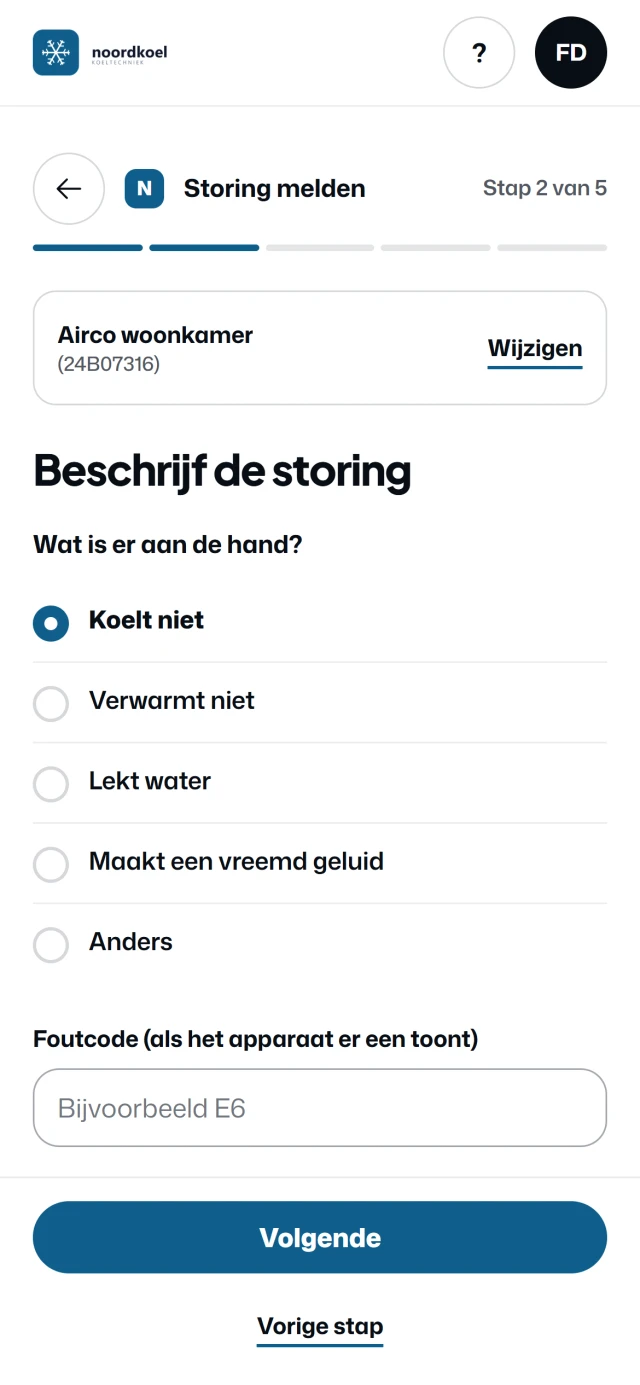
Reporting a fault, in the portal with your logo. Real screens from the customer portal of
Noordkoel, our demo company, with a made-up customer. The screens are in Dutch.
What your customer does.
All things they would otherwise phone or email about. Now they do them when it suits them, even in
the evening on the sofa. For each part you see their screen, and what reaches you.
01
Scheduling maintenance
your customer/ portal
Your customer
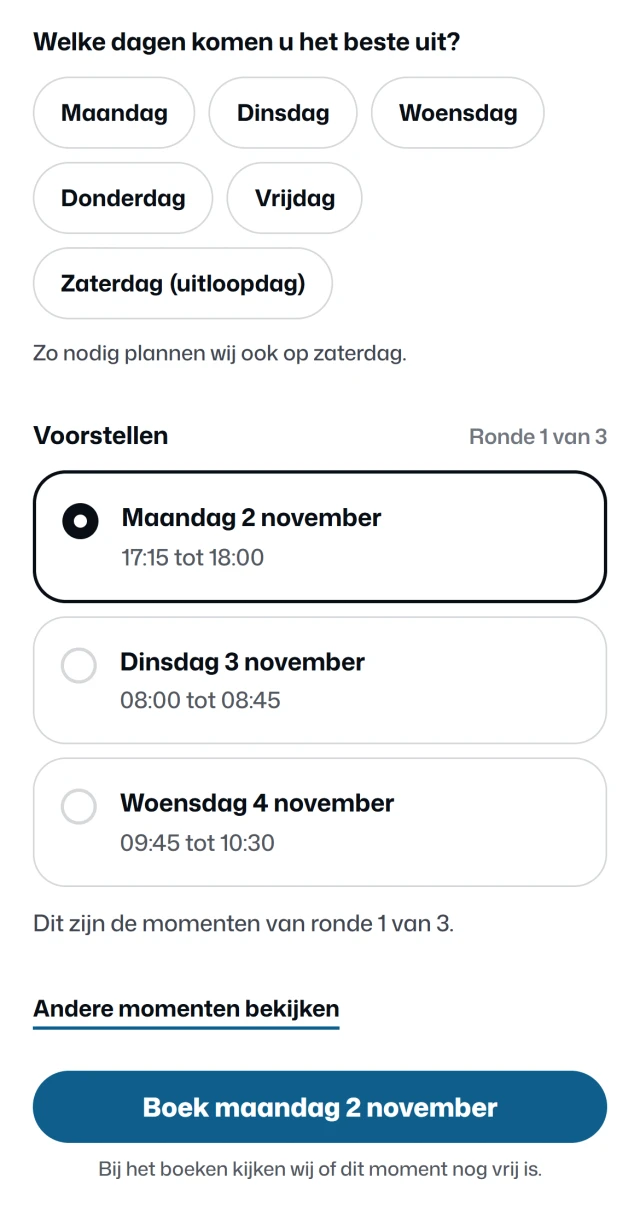
Your customer says which days suit them, and whether they prefer mornings or afternoons. The only days on offer are the days you drive in their area.
On those days, Fikst looks for times with as little extra driving as possible next to the jobs already planned. Your customer picks one. None of them suit? Then they ask for a new round.
office/ planning board
On your side, in Fikst
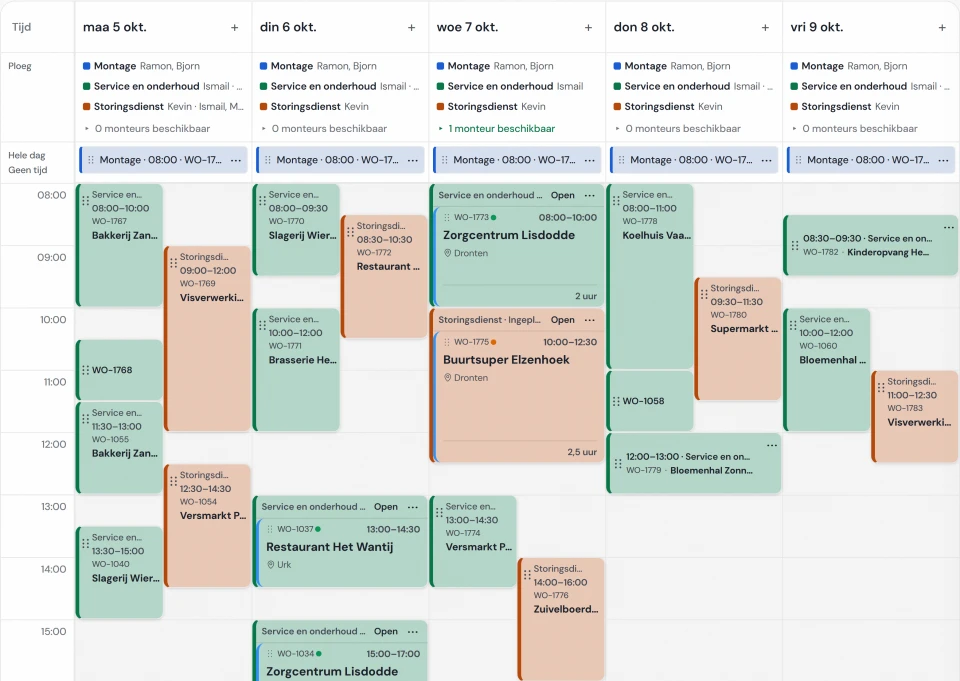
When they book, Fikst checks once more that the time is still free. The visit then sits on your planning board as a work order, and you get a notification. No more phoning to fix a date.
You set the days and the areas in which you plan maintenance yourself. It works for customers with a maintenance contract, and for a visit you have already prepared.
At Elite Klimaat, customers already schedule their own maintenance, in their own customer portal (mijn.eliteklimaat.nl). That portal is linked to Fikst: the customer details come from Fikst, and every booking arrives in Fikst as a work order.
02
Reporting a fault
your customer/ portal
Your customer
Your customer chooses the unit, says what is wrong and enters the error code if the display shows one. They can add photos, and they say how urgent it is. They then get a confirmation by email, and their open report is on their overview.
office/ service requests
On your side, in Fikst
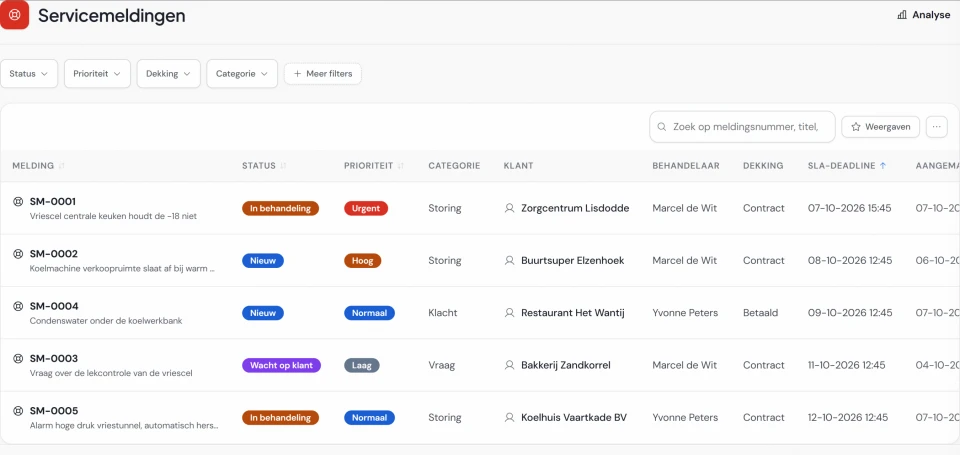
A service request comes in, already linked to that customer and that unit, with a priority and a deadline. You get a notification. One button turns it into a work order.
03
Requesting a maintenance contract
Your customer
From your packages, your customer chooses a subscription or a one-off visit, and sees which units it covers. They only see a price if you switch on the price indication. They sign the contract digitally, in the portal.
On your side, in Fikst
A subscription is waiting for you as a draft, a one-off visit becomes a quote. Under portal requests you see the request, and whether the signing email has gone out.
04
Finding everything again
your customer/ portal
Your customer
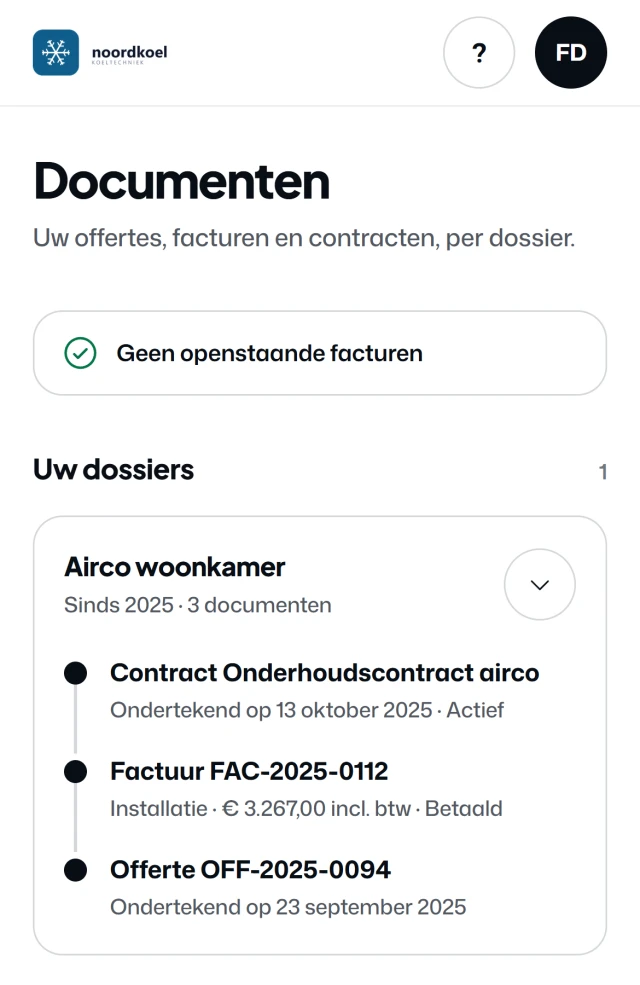
Quotes, invoices and contracts are grouped per unit. Your customer also sees their installations, with the warranty and the leak checks. If you work with Mollie, they can pay an open invoice straight away.
On your side, in Fikst
You do nothing extra for this. Whatever you send appears there by itself. And that one invoice from last year, your customer now looks up themselves.
If you switch on the ISDE file (for the Dutch ISDE subsidy), there is one more step after the paid invoice for a heat pump with a registration code: with one button you prepare the invoice, a payment overview, a photo of the rating plate and a checklist for your customer. Your customer then applies for the subsidy themselves with RVO, the Netherlands Enterprise Agency.
05
Their appointments
your customer/ portal
Your customer
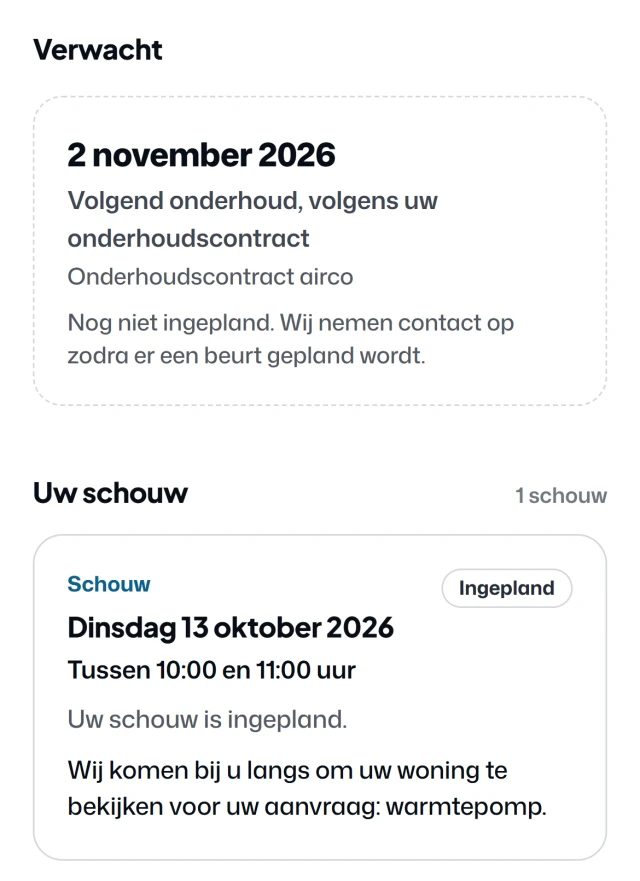
Your customer sees when you are coming, for maintenance and for the site survey, and when their next visit under the contract is due. If you switch on the calendar, they add an appointment to their own calendar with one click.
On your side, in Fikst
If it needs to change, they reschedule it themselves within the period you set, or they ask for a change. That reaches you as a portal request.
Real screens from the customer portal of Noordkoel, our demo company, with a made-up customer.
The planning board and the service requests come from the same demo. The screens are in Dutch. You switch
on what your customer can do per part.
the site survey/
The site survey starts in your customer's home.
From the first question to the report. Your adviser walks in with the customer's answers already on their phone.
01
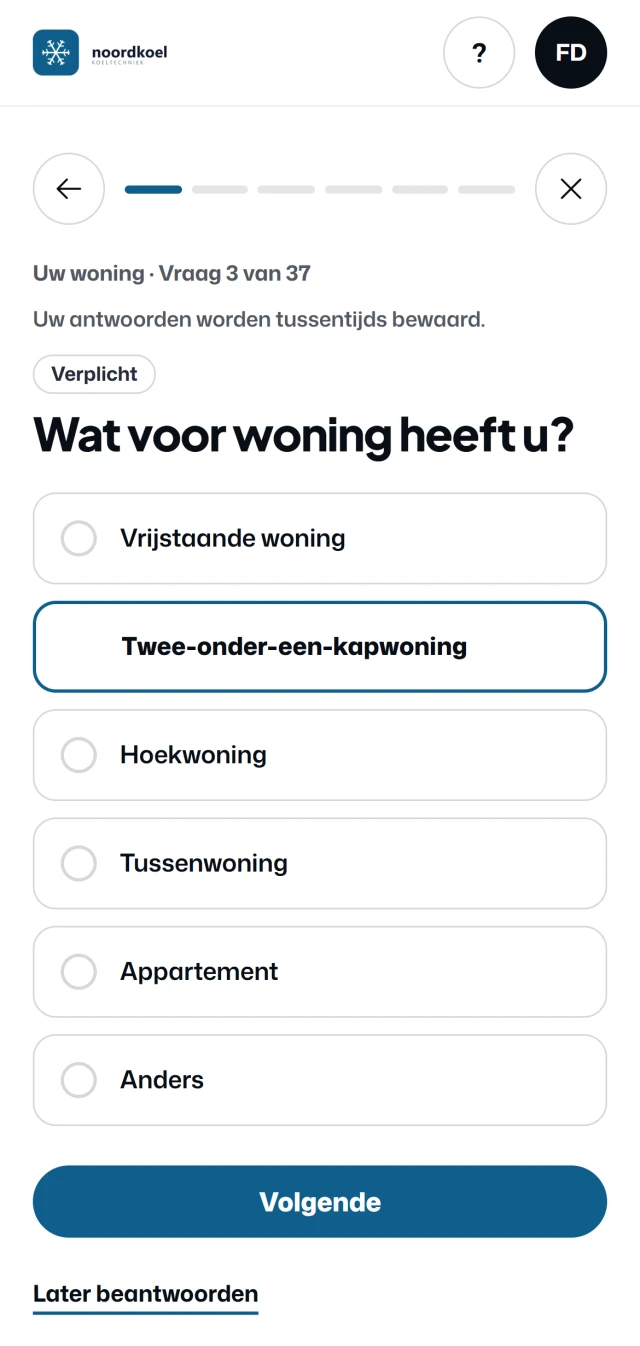
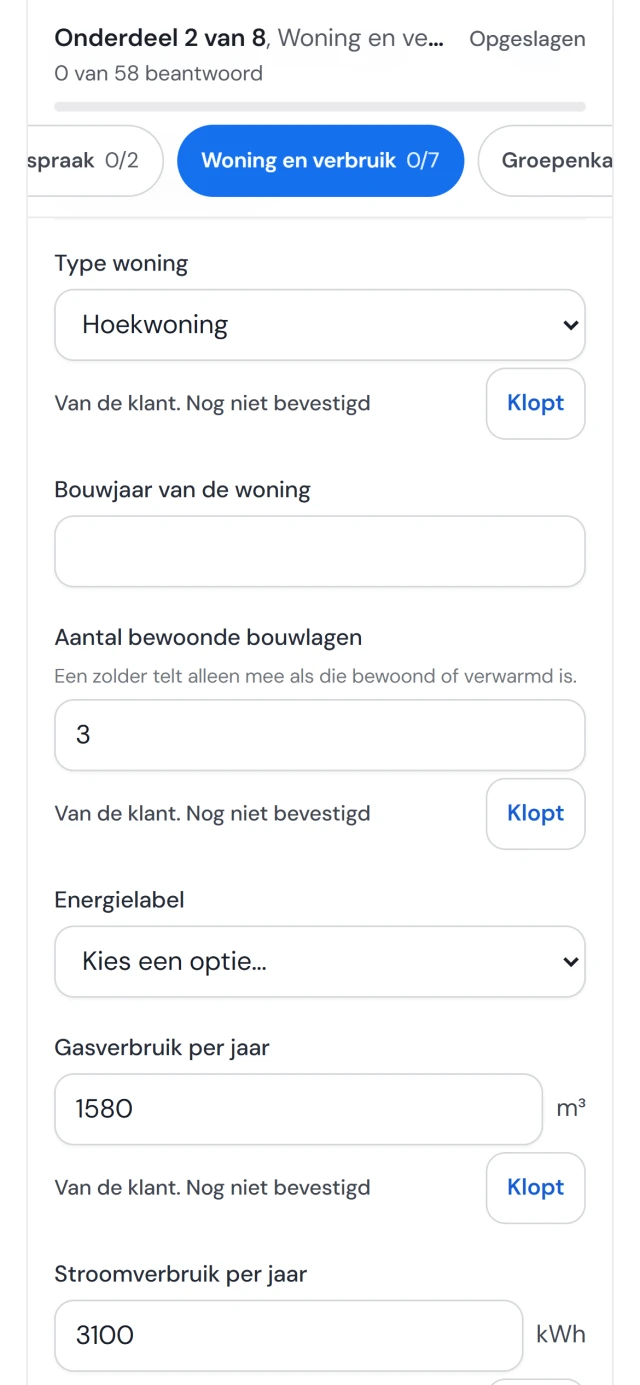
Your customer fills in the questionnaire
Before the appointment, the customer gets a questionnaire in their portal. One question per screen,
on their phone. They take photos straight away with the camera: the meter cupboard, the spot where
the outdoor unit could go. Is the answer out in the garage? Then they save the question for later.
They can send it before everything is done; your adviser goes through the rest with them.
02
Your adviser sees it in Fikst
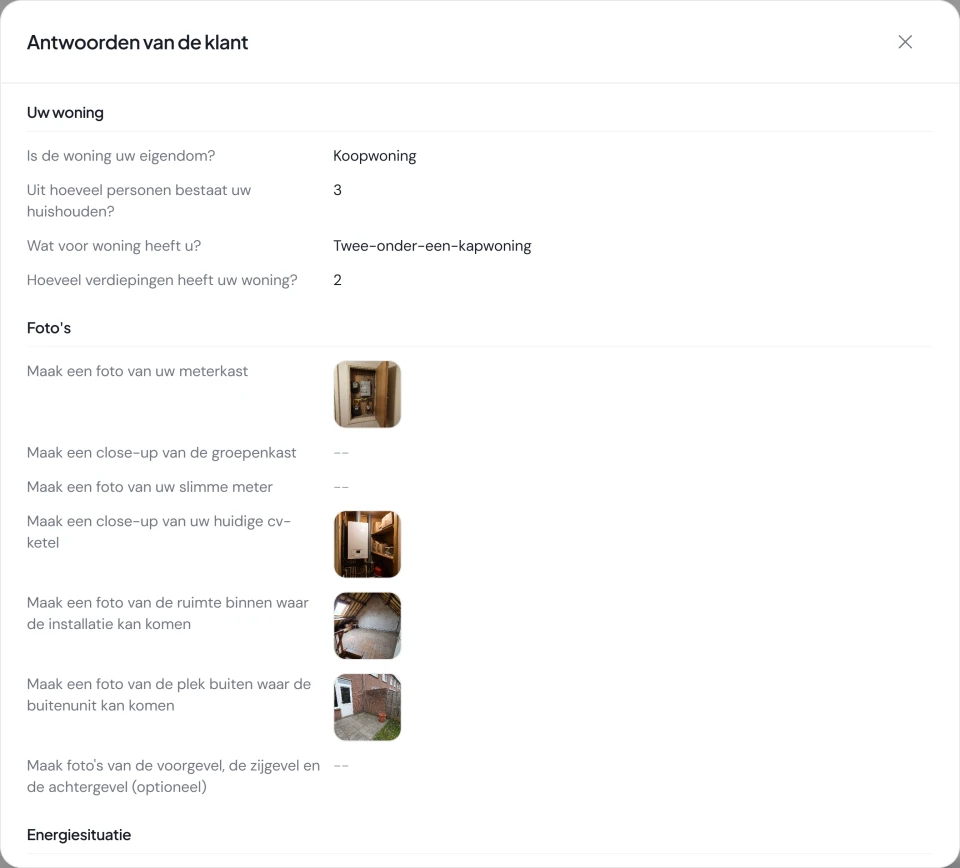
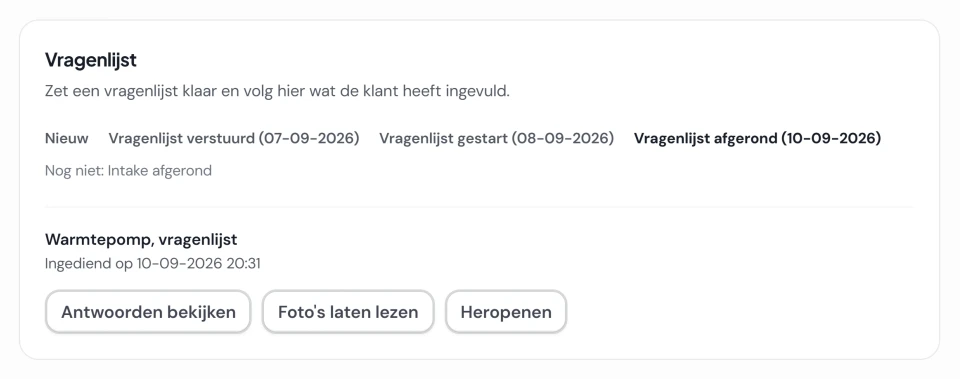
When the customer sends the questionnaire, you get a notification and a task. On the customer card
you see what they sent, with the photos. When your adviser opens the site survey at the customer's
home, the answers are already filled in, labelled as coming from the customer. If an answer is
right, they tap to confirm it. If not, they change it. What the customer gave stays visible.
03
The outcome goes back to the customer
After the site survey you write a summary for the customer and release it. They read it in their
portal and download the site survey report as a PDF. The answers, photos and your internal notes
stay with you.
your customer/ questionnaire
office/ customer card
your adviser/ site survey app
Real screens from Noordkoel, our demo company, in Dutch. The example customers are made up.
And on your side.
Whatever a customer does in the portal reaches the office under portal requests: a fault, a message,
a change of address, a request to reschedule, a contract request or a completed questionnaire. Always
with the right customer. You assign it to a colleague, and one button turns a fault into a work order.
You invite a customer from their customer card. For a business customer you give several contact
persons access, each with their own login. Per part, you switch on what your customers can do. Logo and
colours come from your quotes and invoices. You put the questionnaire together yourself, or you start
with the ready-made list for a heat pump or an air conditioner.
No. The customer portal is included in your subscription. You also pay nothing per customer who logs in.
Does my customer have to create an account?
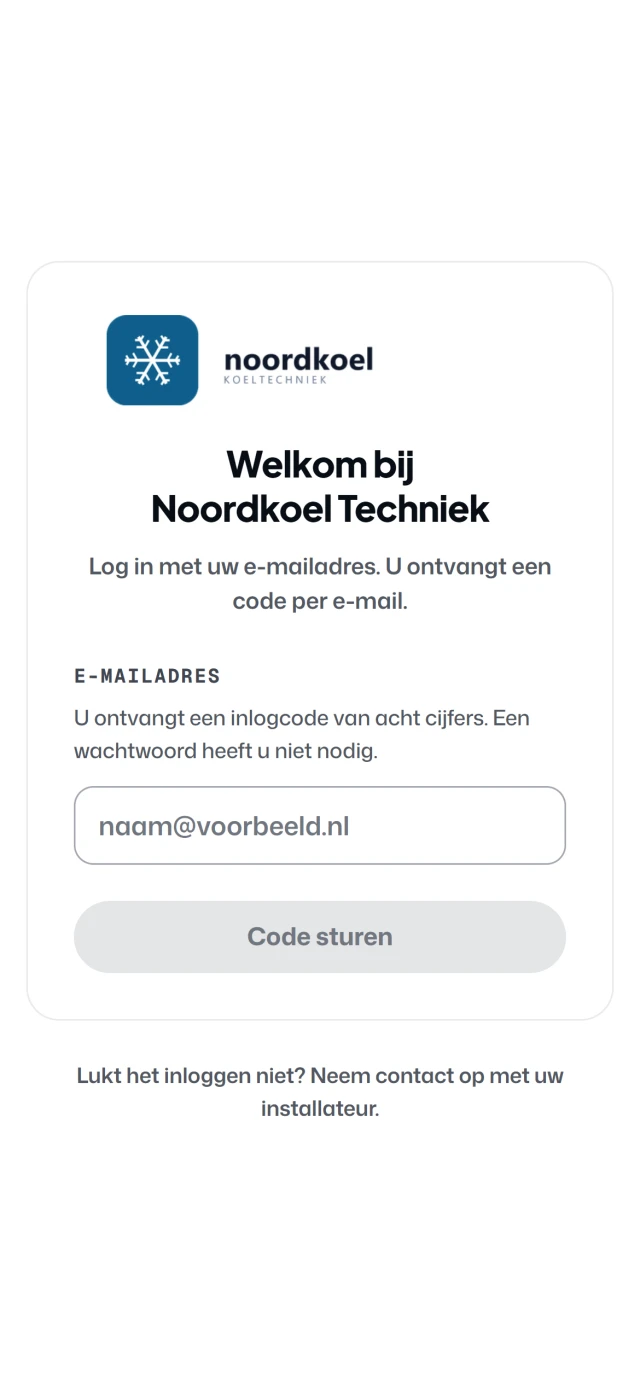
No. You invite them from their customer card in Fikst. They log in with their email address and a code they receive by email. There is no password to remember.
What does my customer see, and what not?
They see their appointments, installations, quotes, invoices and contract, plus whatever they filled in or reported themselves. They do not see your internal notes. Of the site survey, they only see the summary you release, with the report as a PDF. You can also put a heat loss report in their portal, if you switch on sharing.
Do I decide what is in the portal?
Yes. Per part, you switch on what your customers can do, such as scheduling maintenance or reporting a fault. The portal gets your own logo and colours. You put the questionnaire together yourself, or you start with the list for a heat pump or an air conditioner. You can add your own frequently asked questions too. Without questions, your customer does not see that page.
How does a customer schedule their own maintenance?
If they have a maintenance contract, or you have prepared a visit for them, they say in the portal which days suit them. Fikst suggests a few times on days when you drive in their area, with as little extra driving as possible next to the jobs already planned. If none of them suit, they ask for new ones. When they book, the visit is on your planning board straight away as a work order. You set the days and the areas in which you plan maintenance yourself.
Can my customer pay online?
Yes, if you work with Mollie. If an invoice is open, they see a Pay button in the portal. The PDF of the invoice is always there as well.
Does the portal work for business customers too?
Yes. On the customer card you give several contact persons access, each with their own email address. The portal shows one address per customer. Several branches under one login is not possible at the moment.
Does the portal work on a phone?
Yes, that is what it was made for. The questionnaire asks one question per screen, and your customer takes photos straight away with their camera. It works just as well on a computer.