01workflow / customer portal
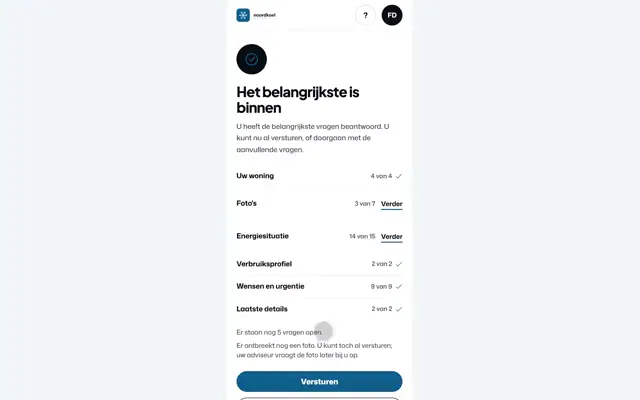
Customer portal
With Dutch narration and music
Step 1 of 5: Questionnaire with photo
With Dutch narration and music, 1 minute 40. You pause and scrub below the video.
Fikst runs in production every day. What customers ask for, we build in. become a launching partner NL
The HVAC platform for Europe, starting in the Netherlands
The system for your whole installation company. And you can run it with AI too.
Point at one to see it large; you turn the sound on yourself.Tap one.
Customer portal
With Dutch narration and music
Step 1 of 5: Questionnaire with photo
With Dutch narration and music, 1 minute 40. You pause and scrub below the video.
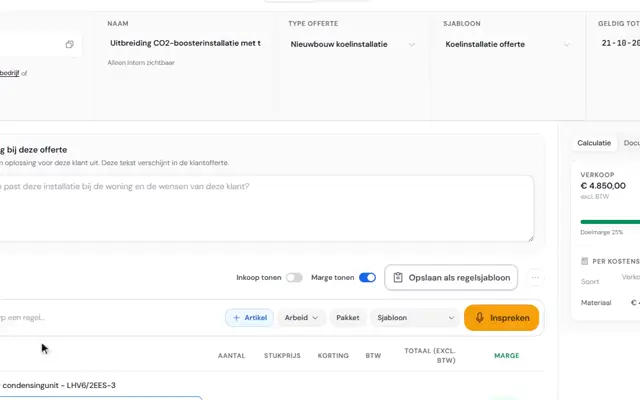
Refrigeration for a supermarket
With Dutch narration and music
Step 1 of 7: Building the quote
This step can also be done through AI: fikst_create_quote
With Dutch narration and music, 2 minutes, ending with the steps through AI. You pause and scrub below the video.
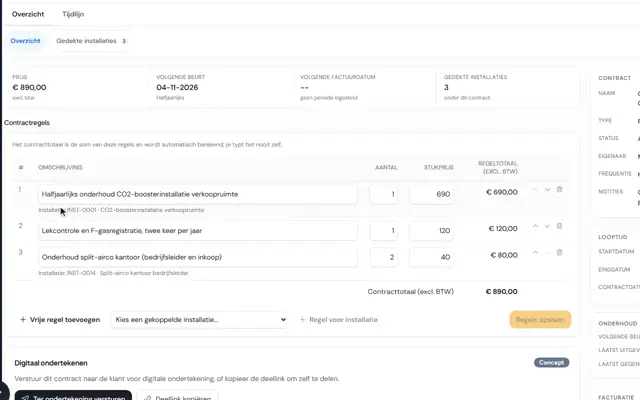
Maintenance and breakdowns
With Dutch narration and music
Step 1 of 9: Maintenance contract
With Dutch narration and music, 2 minutes 10. You pause and scrub below the video.
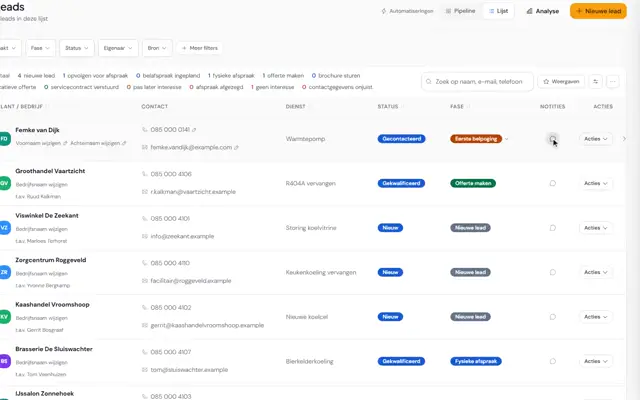
The whole workflow
Example with a heat pump, 7 minutes with Dutch narration
With Dutch narration and music
Step 1 of 7: First call attempt with a note
With Dutch narration and music, 7 minutes, ending with the steps through AI. You pause and scrub below the video.
Real recordings from Noordkoel, our demo company, with made-up customers. Each workflow follows one customer.
Installations and F-gas registration with certification and equipment label, a customer portal in your own branding and heat loss to the Dutch standards ISSO 51:2023, ISSO 53 and ISSO 57. Quotes, planning, work orders and invoices are simply part of it.
Hundreds of tools in our AI connection: much of what you do in Fikst, your AI can do too, within your permissions.

Our first customer. Their customers book their own maintenance, in their own customer portal (mijn.eliteklimaat.nl). It is connected to Fikst: the customer details come from Fikst, and every booking arrives in Fikst as a work order.
Your types of work, checklists per brand and quotes in your own branding. We set that up together before you go live.
A checklist or a new type of work? You change that yourself, if your role allows it. No need to call anyone.
If you run into something, you get the person who built it on the line. No helpdesk in between.
Fikst is one system for your whole installation business. Pick a part and you see the real screens and the features in it, with Noordkoel, our demo company with made-up customers.
free office scan, a few minutes
Short multiple choice questions about how your office works and where it gets stuck. For each point you see straight away whether it is green, orange or red, which label your office gets and whether it is time to switch. You do not have to leave any details.
take the office scanAfter the job, say what you did. Fikst puts the hours, the completed tasks, the serial number and your note on the work order. You untick what is wrong, and hours without clocked time you tick yourself if they are right. Then the office makes the invoice.
With your own AI too. Connect it to Fikst through MCP and it can carry out hundreds of actions, within your permissions.
Explore what AI can do“One hour of work. Cleaned the filters, defrosted the evaporator and flushed the condensate drain, no leak found. All tasks are done. Serial number J004871.”
Untick what is wrong. Nothing is final until you press add.
Hours are off: we heard 1 hour and there is no clocked time against it. Hours go on the invoice, so turn them on yourself if this is right.
The office makes the invoice after approval.
Booking a service visit often takes a few phone calls back and forth. The office finds a gap, the customer just cannot make it, and so on. In Fikst your customer does it themselves, in their own portal.
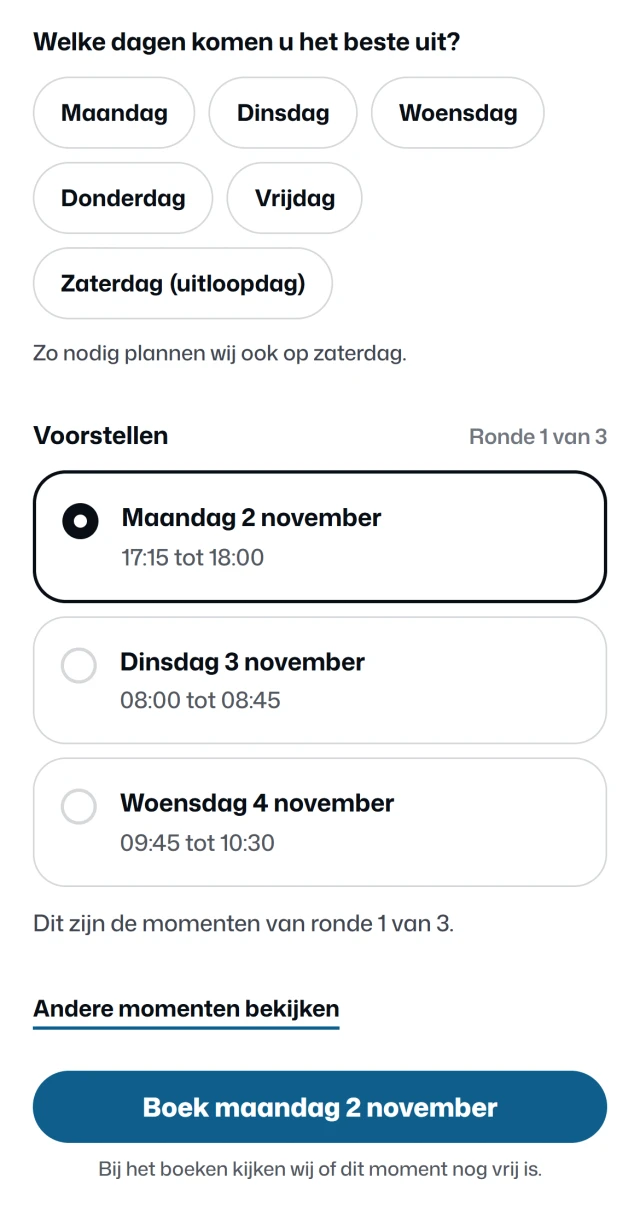
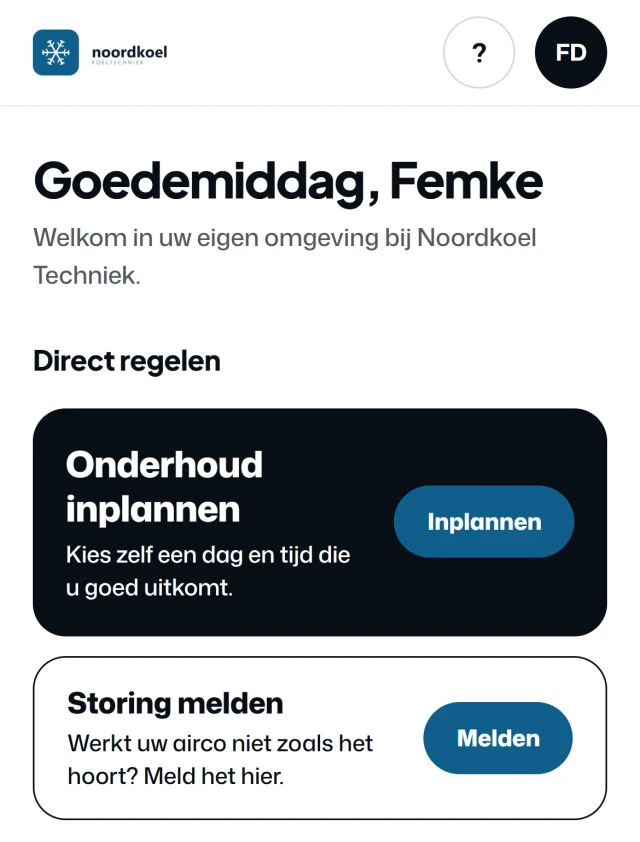
Real screens from the customer portal of Noordkoel, our demo company, with a made-up customer.
Monday or Thursday, preferably in the afternoon. The only days on offer are days you drive in their area.
For each day Fikst works out how much extra driving time one more stop costs, next to the jobs already booked. That gives a few suggestions. Nothing suitable? Then they ask for new ones.
When they book, Fikst checks once more that the slot is still free. The visit then sits on your planning board as a work order and you get a notification. No phone call needed.
At Elite Klimaat, customers already schedule their own maintenance, in their own customer portal (mijn.eliteklimaat.nl). It is linked to Fikst: the customer details come from Fikst, and every booking arrives in Fikst as a work order.
The customer portal is included in your subscription. No add-on, no price per customer.
How the customer portal workswho it is for /
Fikst is the complete system for any installation company, from a one-person business to well over a hundred staff. Pick your trade and see what Fikst does for you there.
This is the full list, per part. Anything still being built is marked as such.
The actions and configurations available depend on your access and permissions.
€50 per office user per month. Technicians pay nothing. There are no add-ons and new updates keep coming. After go-live the first month is free, with no contract.
technicians do not count towards your price
± €250
per month
An estimate, excluding VAT. We agree the final price together.
Your first month after go-live is free, with no contract.
the first year after go-live: ± €2,750, eleven paid months
A larger team or several branches? Then we put together a price that fits.
book an introductory callCancel monthly. Your data stays yours.
After go-live your first month is free, with no contract.
After that, you decide whether to carry on. That way you are not tied for a year to a system that does not work out in practice.
No add-ons or separate modules that get added later. You get every update at no extra cost. Stock per warehouse and per technician van is included too.
AI is included and it is not expensive. Every company starts with 5,000 free credits, and a dictated work order costs about 2 of them. Once the credit is used up, a credit costs 1 cent. If you do not want AI, we switch it off.
On top of your monthly amount you pay once for set-up, data transfer and training. The implementation is a one-off cost, at a fixed price we agree with you in advance. It depends on the size of your team and what needs to be moved across. Ask for an estimate or read how the implementation works.
where your data lives
In a database in Ireland, inside the EU. It runs at Supabase, in the eu‑west‑1 region.
what we agree
We have a data processing agreement. You get it on request, so you can read it before you sign anything.
the AI features
If you use AI, only the text needed for it goes to our AI suppliers (Anthropic, and OpenAI when you dictate something), outside the EU. Rather not? Then we switch it off for your company.
We look at which customers, installations, products and contracts can come across from your current systems. Anything that cannot be moved over cleanly, we discuss in advance. Then we set up Fikst together and guide your team through the switch.
How the implementation worksWe start with the standard set-up for installation companies and add your types of work, checklists, quotes and pricing agreements. If you work differently on a point, we adjust the set-up to match. You hear in advance what we solve with settings and what needs custom work.
Fikst for your installation companyFikst stays your point of contact for support, changes and additional custom work. You deal directly with the person who builds it. We agree in advance what support you need and what it costs.
Discuss the support you needIn an introductory call we look together at how you work now and how that would go in Fikst, with the costs included. You also hear what is not possible yet.
Rather call?Call Tico: +31 6 48 95 91 15
No obligation. Directly with the person who builds it.
Cancel monthly. Your data stays yours.