work order app/
The work order app for your technicians.
The Fikst digital work order lives on your technician's phone. In the morning they see their route for the day and who they are working with. At the customer they tick off their tasks and have the customer sign. The office then sees the job as ready for invoicing.
Your technicians cost nothing. You pay per office user, and the technician app is included, however many technicians you have.
their day/
They know where to go, and who with.
Under My Day is their route: today's jobs in time order, as a list or on the map. The next stop is at the top. One button starts the trip and opens navigation, on arrival they start the work order, and the time clock runs from that moment.
If two or three of them work on a job, they see with the job who is there that day. What the office has prepared for the job, they find under Preparation.
How the jobs get onto their phone is explained under the planning board.
on the work order/
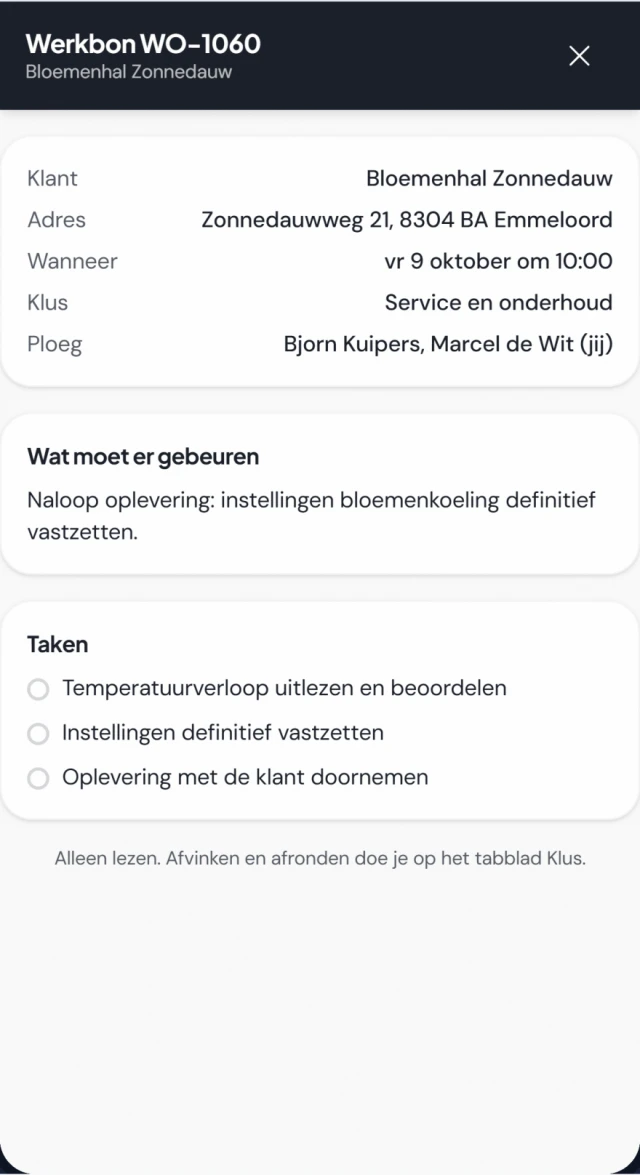
Everything about the job on one screen.
Job, info, time and chat. What they record here, nobody in the office has to type up again.
-
Ticking off tasks
What needs doing is at the top, with the tasks below. They tick them off one by one, or all at once when everything is done.
-
The checklist
For each type of job you add a checklist, with questions, photos or a signature in it. If it is mandatory, your technician cannot complete the job without it.
-
Materials
They see the materials the office set aside for the job, and mark what they used. If you switch it on, they can propose extra materials as additional work, from a list you decide. The office sets the price and approves it.
-
Photos
They take photos of the work in the work order itself. If you always want a photo for a type of job, or one per task, you make it mandatory.
-
Unit and serial number
They link the unit to the job and enter the serial number. You can make that serial number mandatory per type of job.
-
Your customer’s signature
Your customer signs on the technician’s phone, with the additional work shown above. By default Fikst asks for that signature before the job is done.
without signal/
In the basement they just keep working.
Their day is on their phone. If the signal drops in a plant room or a crawl space, they can still record everything, have the customer sign and complete the job. It goes through as soon as they have a connection again, and the end time is the moment they tapped Complete.
Carries on without signal
- Ticking off tasks
- Taking photos
- Hours and notes
- Marking materials
- Recording refrigerant handling
- Filling in the checklist
- The customer's signature
- Completing the job
Needs a connection
- Dictating the work order
When it is sent, the usual checks apply, such as the signature and the checklist. If something is not right, your technician sees the reason under Sync and the work order stays open.
dictation/
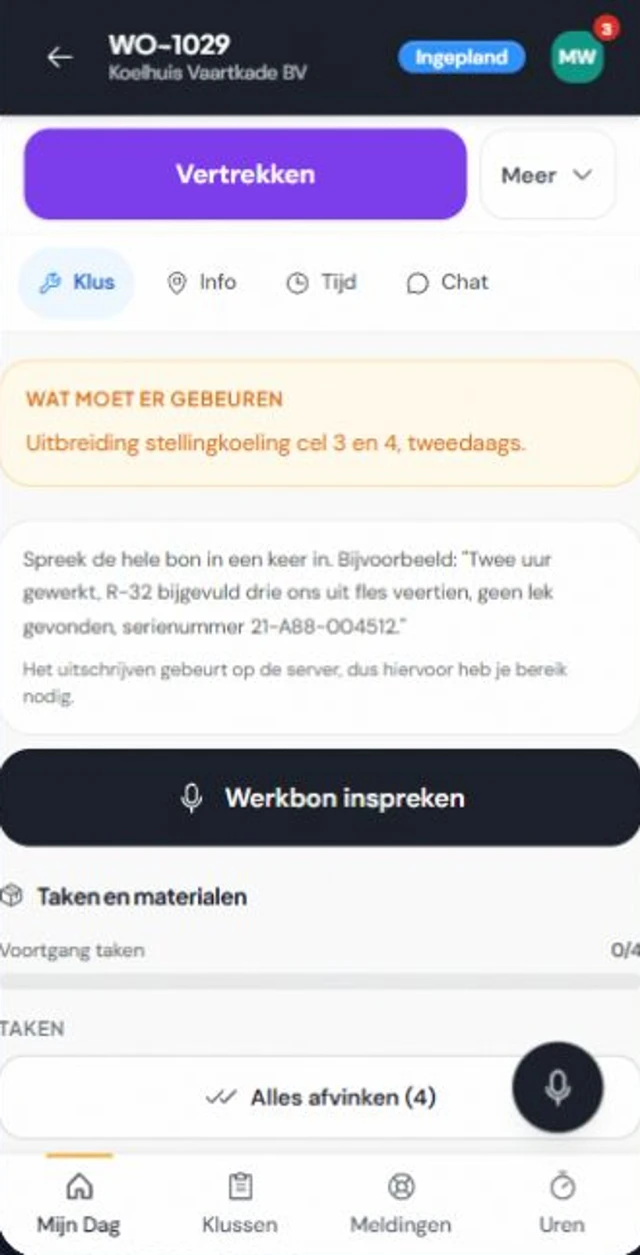
They say what they did. Fikst sets it out.
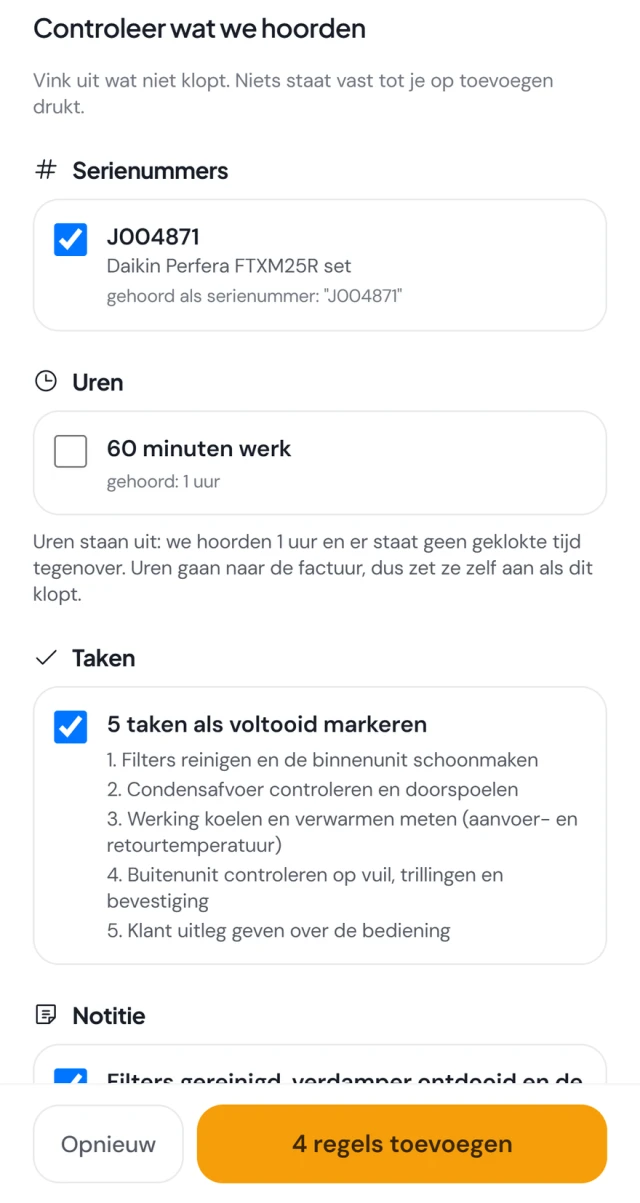
Your technician presses the button to dictate the work order and says in one go what they did. An hour of work, filters cleaned, no leak found, serial number included. Fikst turns it into lines and puts them on a review sheet: serial numbers, hours, tasks and a note.
They untick what is wrong. Only when they press add is it on the work order. If Fikst heard hours that do not match the time clock, those stay off until they switch them on themselves, because hours go to the invoice.
Dictation uses AI credit: in our demo about 2 credits for a recording of around fifteen seconds. Materials and refrigerant are not included; they record those on the work order as usual. And the transcription happens on the server, so they need signal for it.
refrigerant/
Refrigerant belongs on the work order.
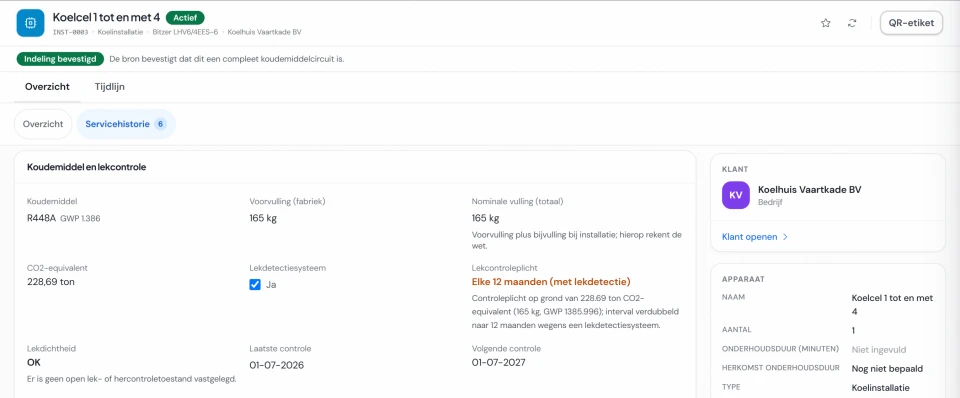
If your technician works with refrigerant, they record on the work order how much they top up or recover, from or into which cylinder, and why. For a leak test they choose the leak detector. It ends up with the installation, in the register you show at an audit.
If you work with refrigerant, we switch on the F-gas records for you during set-up. More in F-gas records in Fikst and in the article on version 3.0 of the Dutch BRL 100 certification scheme.
in the office/
Job done, ready to invoice.
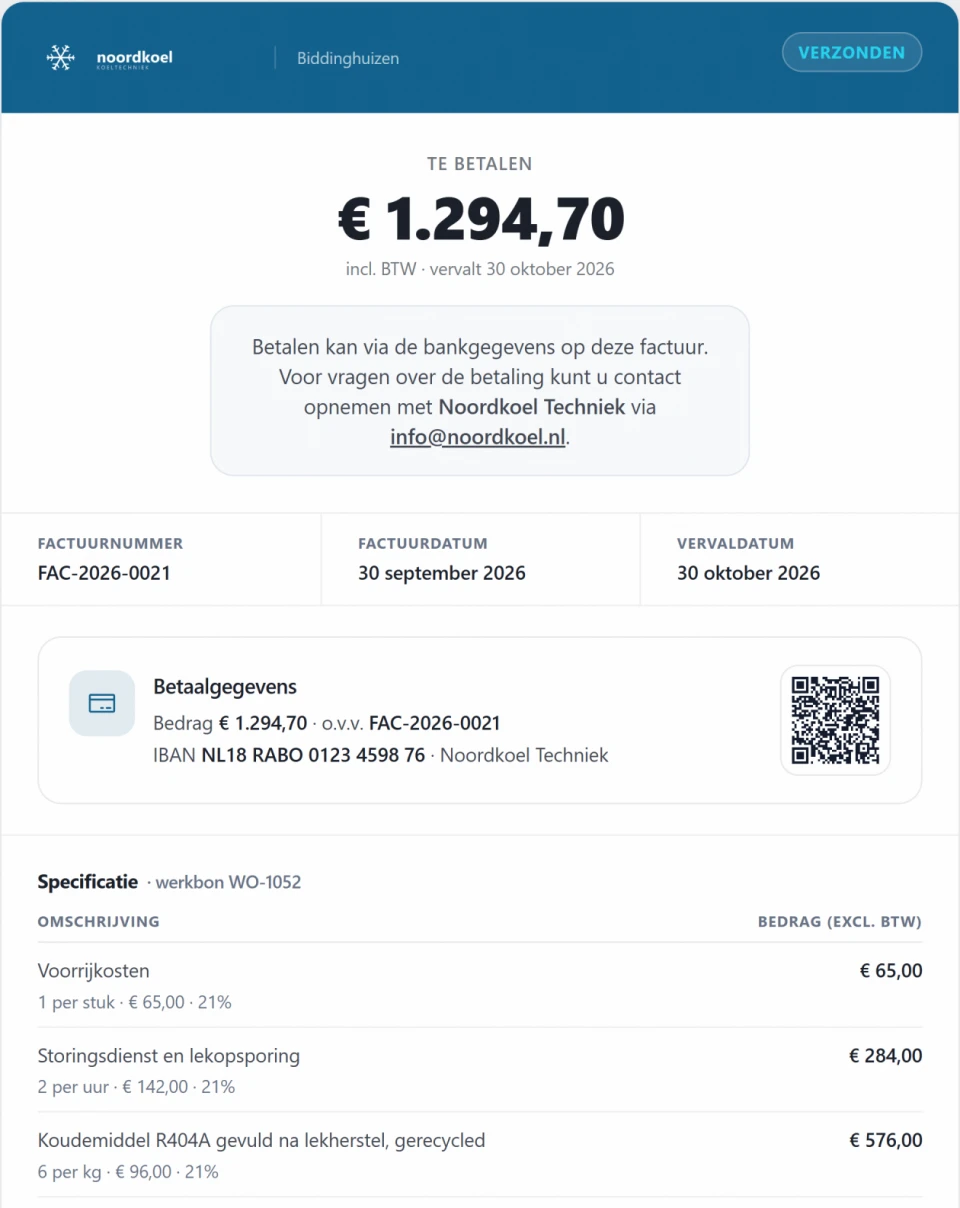
When your technician completes the job, the work order is set to Ready for invoicing in the office. You create the invoice from the work order, with what is on it, such as the hours and the refrigerant.
If the job is not finished, they hand it back to the office. Then you see straight away that a follow-up action is needed.
Cancelled by mistake? An administrator or manager reopens the work order, with the reason in the history. If a deposit or instalment is attached through the quote, you cannot cancel it. Fikst shows which route is possible.
Questions about the work order app.
All frequently asked questionsWhat does the work order app cost?
Nothing extra. You pay Fikst per office user, and your technicians do not count, however many you have. The work order app is included in the subscription. Only dictating a work order uses AI credit.
Does the work order work without signal?
Yes, almost entirely. Their day is on their phone. Ticking off tasks, taking photos, keeping hours and notes, the checklist, the customer’s signature and completing the job carry on without signal, and it all goes through as soon as there is a connection again. The end time is the moment they tapped Complete. The usual checks apply when it is sent; if something is not right, they see the reason under Sync and the work order stays open. Dictating does need a connection, because the transcription happens on the server.
Can my customer sign on the technician’s phone?
Yes. The customer signs on the technician’s screen, with any additional work shown above. By default Fikst asks for that signature before the job is done. That works without signal too; it is sent as soon as there is a connection.
Do I decide what has to be on the work order?
Yes, per type of job. You give a job a checklist, and if it is mandatory, the technician cannot complete the job without it. You can also make a photo of the work or a photo per task mandatory, or the serial number of the unit.
How does dictating a work order work?
The technician dictates the whole work order in one go. Fikst turns it into lines for serial numbers, hours, tasks and a note, and puts them on a review sheet. They untick what is wrong, and only when they press add is it on the work order. That uses AI credit: in our demo about 2 credits for a recording of around fifteen seconds. Materials and refrigerant do not go through dictation.
What does the office see when the job is done?
Once completed, the work order is set to Ready for invoicing. You create the invoice from the work order, with what is on it. If the job is not finished, the technician hands it back to the office for a follow-up action.
What should you look for in a work order app for installers?
Check whether your technician can keep working without signal, whether you can add a mandatory checklist per type of job, whether your customer signs on the phone, whether refrigerant can go on the work order, whether the job is then ready to invoice, and what a technician costs you. In Fikst, tasks, photos, hours and refrigerant records carry on without signal, a checklist per type of job can be mandatory, your customer signs on the technician’s phone, you record refrigerant together with the cylinder, the job is set to Ready for invoicing once completed, and your technicians do not count towards the price.
Would you like to see the work order with a job from your own work?
In a 30-minute introductory call we look at how you work and show you Fikst live. With five people in the office you pay €250 a month, and your technicians cost nothing.