the product/ all features
Everything your installation business runs on, in one system. Sales, planning, the work order on the phone, service, F-gases, invoicing, purchasing, the customer portal, heat loss and AI. Click a part and its card opens: real screens from Noordkoel, our demo company with made-up customers, and the features in it.
Want to see it with your own work? In a 30 minute introduction we show you Fikst live.
everything 01 sales and quotes02 customers and relations03 planning and calendar04 work order and engineer app05 service and maintenance06 f-gases07 invoicing and payment08 purchasing and stock09 bank and VAT10 customer portal11 heat loss and advice12 ai13 insight14 projects and team15 automation and communication16 settings and rights
16 areas, 46 cards, 268 features
Web Route Tiles
The line through the middle is the chain of your work: request and quote, planning, work order, invoice, bank, maintenance and the customer portal. Hover over a part, or tab to it, to see its screen and its cards.
01 sales and quotes 5 cards 02 customers and relations 3 cards 03 planning and calendar 3 cards 04 work order and engineer app 2 cards 05 service and maintenance 3 cards 06 f-gases 2 cards 07 invoicing and payment 3 cards 08 purchasing and stock 2 cards 09 bank and VAT 2 cards 10 customer portal 5 cards 11 heat loss and advice 2 cards 12 ai 4 cards 13 insight 3 cards 14 projects and team 2 cards 15 automation and communication 3 cards 16 settings and rights 2 cards 01 sales and quotes
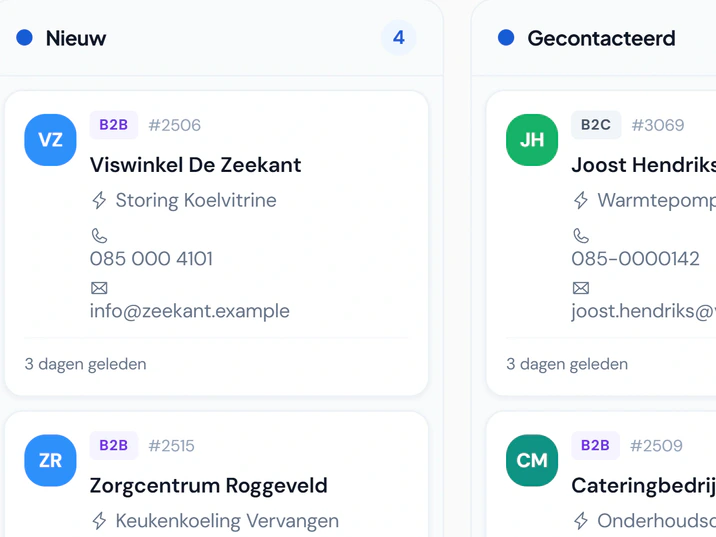
From enquiry to signed quote. An enquiry comes in through your website, the phone or a regular customer. Fikst keeps track of where it stands, until the customer signs and the work is planned.
02 customers and relations
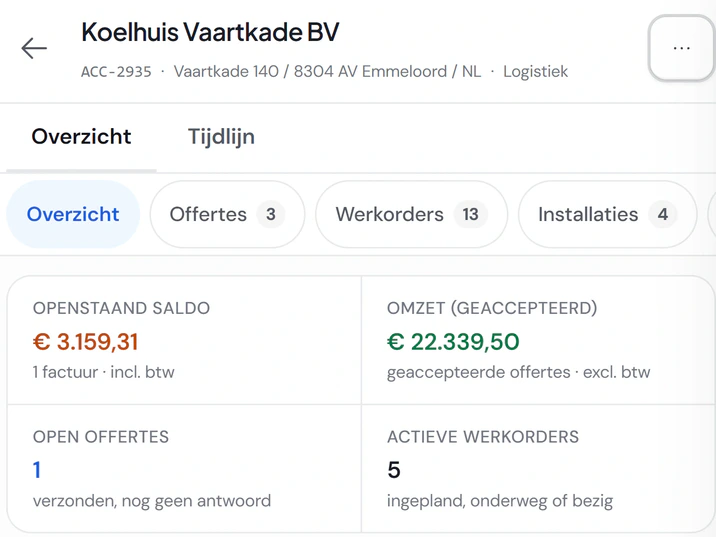
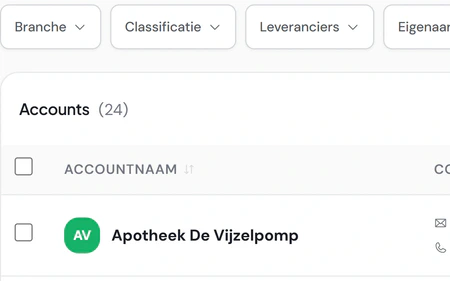
Everything about a customer on one card. Companies, homeowners and their contacts. Whoever calls, you have them in front of you in two seconds, with everything you did together.
03 planning and calendar
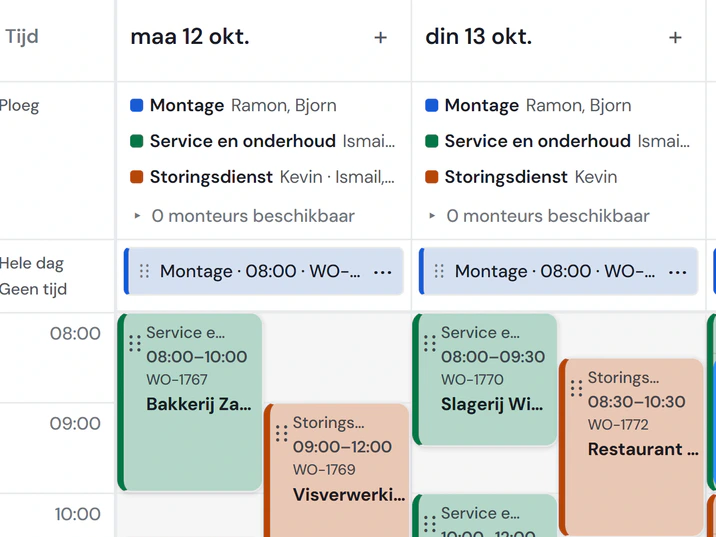
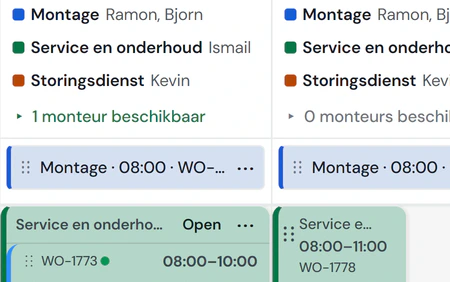
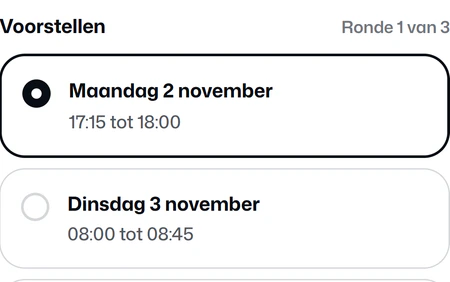
Planning without the puzzle. You see per day which crew is where, who is free and what still needs doing. What you plan shows up on your engineer’s phone straight away.
04 work order and engineer app
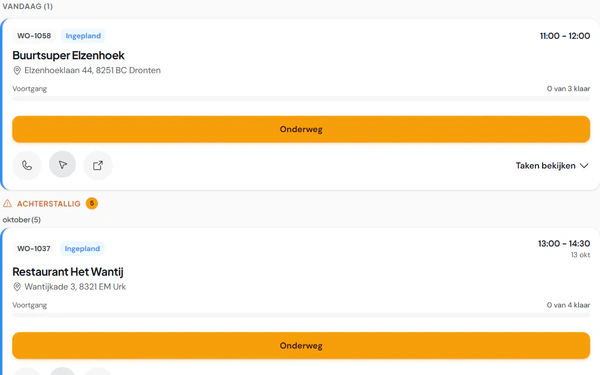
Your engineer has it all in their pocket. An app on the phone that keeps working in a basement without signal. Your engineers do not count towards your subscription.
05 service and maintenance
After the installation, it really starts. Whatever you install goes into the register. Contracts plan their own maintenance and a fault is linked to the right unit straight away.
06 f-gases
The F-gas records keep themselves. What your engineer fills in about refrigerant on the work order goes into the unit’s log. No more binder to keep up for the inspection.
07 invoicing and payment
Done means invoiced. The invoice follows from what was actually done. Your customer pays online, and you see straight away what is overdue. Your accountant does the annual accounts.
08 purchasing and stock
Purchasing and stock without loose lists. What your work orders need, Fikst puts on a purchase list. It reads purchase invoices itself, and you keep stock per item and per warehouse.
09 bank and VAT
Your bank and your VAT together. You match payments to your invoices and purchases. You prepare the VAT return from your own invoices; you or your accountant file it.
10 customer portal
Your customer handles it themselves. Every customer gets their own portal in your house style. What they do there reaches you as a task, work order or ticket.
11 heat loss and advice
From address to heat pump advice. A heat loss calculation per room, with the building already filled in from open sources. Then a heat pump recommendation, and a report for your customer.
12 ai
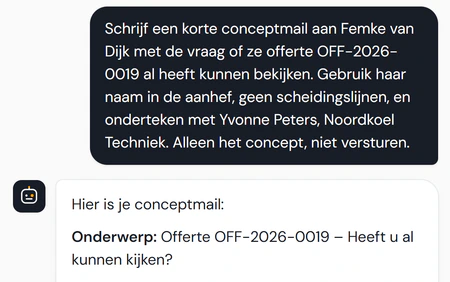
AI that works along with you. Talk instead of type, paper that reads itself, and an assistant that does things for you in Fikst. Big steps it shows you first.
13 insight
Every morning you know where you stand. What needs attention today, what has your name on it and how your business is doing. Every figure shows how it was calculated.
14 projects and team
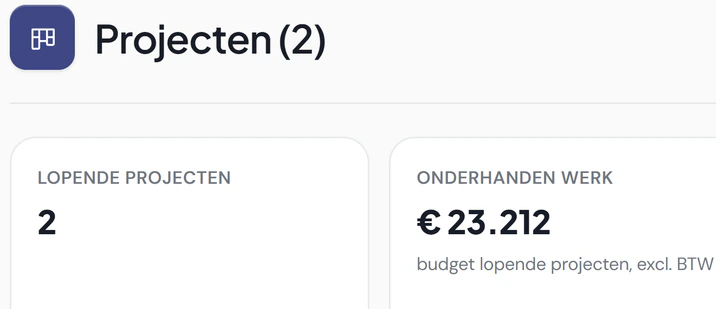
Projects and your team. Bigger jobs as a project with stages and budget. And your team with roles, skills and certificates that come back on the planning.
15 automation and communication
Let the recurring work run. Automations for what you always do the same way, and email from every customer, quote or invoice. Steps involving money ask for approval first.
16 settings and rights
Set up the way you work. Your own stages, fields, words and screen layout. And per role exactly who may see and do what.
Desktop Phone
Play with sound (Dutch)
Play with sound (Dutch)
start/ customers and relations
Everything about a customer on one card. Companies, homeowners and their contacts. Whoever calls, you have them in front of you in two seconds, with everything you did together.
step 1/ sales and quotes
From enquiry to signed quote. An enquiry comes in through your website, the phone or a regular customer. Fikst keeps track of where it stands, until the customer signs and the work is planned.
Desktop Phone
Play with sound (Dutch)
Play with sound (Dutch)
with request and quote/ heat loss and advice
From address to heat pump advice. A heat loss calculation per room, with the building already filled in from open sources. Then a heat pump recommendation, and a report for your customer.
Desktop Phone
Play with sound (Dutch)
Play with sound (Dutch)
step 2/ planning and calendar
Planning without the puzzle. You see per day which crew is where, who is free and what still needs doing. What you plan shows up on your engineer’s phone straight away.
with planning/ projects and team
Projects and your team. Bigger jobs as a project with stages and budget. And your team with roles, skills and certificates that come back on the planning.
Desktop Phone
Play with sound (Dutch)
Play with sound (Dutch)
with planning/ purchasing and stock
Purchasing and stock without loose lists. What your work orders need, Fikst puts on a purchase list. It reads purchase invoices itself, and you keep stock per item and per warehouse.
step 3/ work order and engineer app
Your engineer has it all in their pocket. An app on the phone that keeps working in a basement without signal. Your engineers do not count towards your subscription.
Desktop Phone
Play with sound (Dutch)
Play with sound (Dutch)
with work order/ f-gases
The F-gas records keep themselves. What your engineer fills in about refrigerant on the work order goes into the unit’s log. No more binder to keep up for the inspection.
Desktop Phone
Play with sound (Dutch)
Play with sound (Dutch)
with work order/ ai
AI that works along with you. Talk instead of type, paper that reads itself, and an assistant that does things for you in Fikst. Big steps it shows you first.
Desktop Phone
Play with sound (Dutch)
Play with sound (Dutch)
step 4/ invoicing and payment
Done means invoiced. The invoice follows from what was actually done. Your customer pays online, and you see straight away what is overdue. Your accountant does the annual accounts.
Desktop Phone
Play with sound (Dutch)
Play with sound (Dutch)
with invoice/ insight
Every morning you know where you stand. What needs attention today, what has your name on it and how your business is doing. Every figure shows how it was calculated.
Desktop Phone
Play with sound (Dutch)
Play with sound (Dutch)
step 5/ bank and VAT
Your bank and your VAT together. You match payments to your invoices and purchases. You prepare the VAT return from your own invoices; you or your accountant file it.
Desktop Phone
Play with sound (Dutch)
Play with sound (Dutch)
step 6/ service and maintenance
After the installation, it really starts. Whatever you install goes into the register. Contracts plan their own maintenance and a fault is linked to the right unit straight away.
step 7/ customer portal
Your customer handles it themselves. Every customer gets their own portal in your house style. What they do there reaches you as a task, work order or ticket.
Desktop Phone
Play with sound (Dutch)
Play with sound (Dutch)
under everything/ automation and communication
Let the recurring work run. Automations for what you always do the same way, and email from every customer, quote or invoice. Steps involving money ask for approval first.
Desktop Phone
Play with sound (Dutch)
Play with sound (Dutch)
under everything/ settings and rights
Set up the way you work. Your own stages, fields, words and screen layout. And per role exactly who may see and do what.
01 From enquiry to signed quote. An enquiry comes in through your website, the phone or a regular customer. Fikst keeps track of where it stands, until the customer signs and the work is planned.
02 Everything about a customer on one card. Companies, homeowners and their contacts. Whoever calls, you have them in front of you in two seconds, with everything you did together.
08 Purchasing and stock without loose lists. What your work orders need, Fikst puts on a purchase list. It reads purchase invoices itself, and you keep stock per item and per warehouse.
11 From address to heat pump advice. A heat loss calculation per room, with the building already filled in from open sources. Then a heat pump recommendation, and a report for your customer.
12 AI that works along with you. Talk instead of type, paper that reads itself, and an assistant that does things for you in Fikst. Big steps it shows you first.
15 Let the recurring work run. Automations for what you always do the same way, and email from every customer, quote or invoice. Steps involving money ask for approval first.
end/ full circle
From request to payment, in one system. When the same customer comes back with a question, the route starts again, with the installation and the history already in place.
sales and quotes/
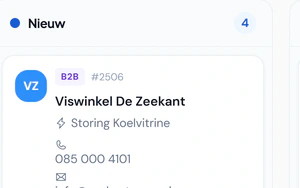
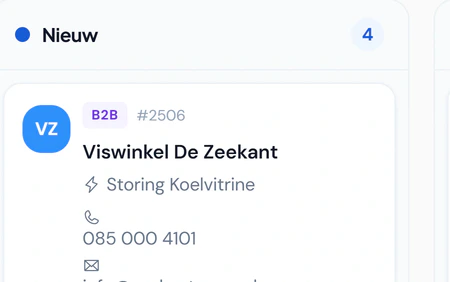
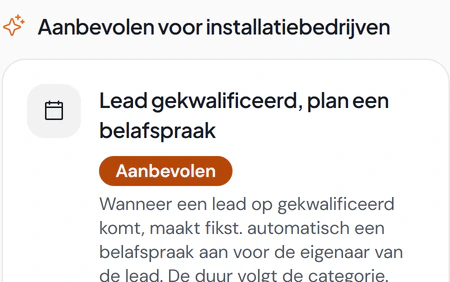
Leads and enquiries Every enquiry in one overview, with a count per stage. Plan a call from Actions and the lead moves on by itself; invite the customer to your portal straight from the lead.
As a list, as a kanban board by stage or grouped An enquiry form for your own website, in your house style; the enquiries arrive by themselves With a heat pump calculator: the visitor sees the capacity, fitting units, the ISDE subsidy and the savings before leaving their details You set your own stages, sources and quick actions Plan a call or an on-site appointment from the lead Lead filter on service area, feasibility and size, with the reason, and a kW helper per room Invite the customer to your portal, with the questionnaire for the service Warning for a duplicate lead or customer, and merging Convert to a business or private customer in one click Record the reason when you lose a lead Lead score and an analysis of your funnel Book an introduction
sales and quotes/
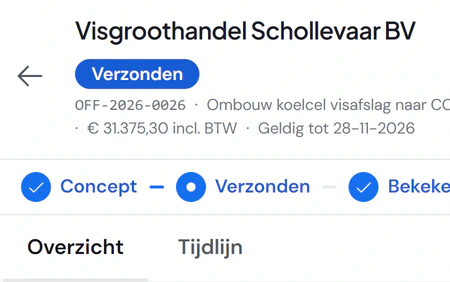
The web quote for your customer Your customer gets a web quote and a PDF in your house style. They pick an option and sign digitally.
Online through a link, no login, and as a PDF Options for the customer to choose from Optional lines the customer switches on and off, with a running total Sign, decline with a reason or ask a question After signing, the complete quote as a PDF, for you and the customer A business quote greets the contact person by name You see when it was opened and what the customer looked at VAT the way the customer expects it: private incl., business excl. Subsidy and payback period on the quote itself Book an introduction
sales and quotes/
Writing and following up quotes See whether a quote was sent, viewed or accepted. On approval the work order and invoice follow from the same quote.
Lines, groups, discounts and items from your catalogue Margin per line and per quote, only for those allowed to see cost prices Product bundles with a bill of materials in one go Line templates with the current item price ISDE subsidy, also when you change the heat pump Payment schedule with deposit and instalments Follow-up email sequences after sending Expire, extend and reopen, with your contact details for the customer On approval: work order, project or invoice, and a deposit invoice House style and design rules per brand or item Book an introduction
sales and quotes/
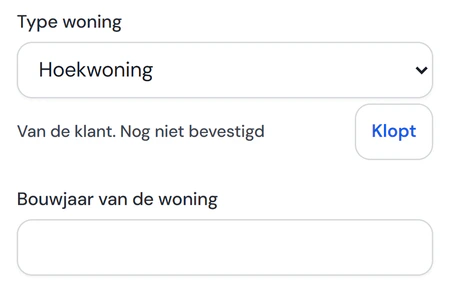
The site survey Your adviser surveys the home in an app, with the answers the customer already gave. They tap Correct or change it.
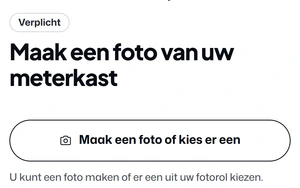
On-site survey with photos Answers from the customer’s questionnaire are ready Talk instead of type Home data from open sources: year built, energy label, roof areas Comes with the customer portal.
Book an introduction
sales and quotes/
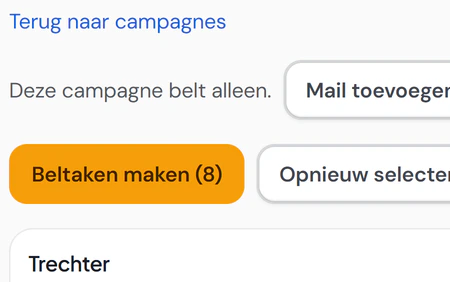
Call rounds Call a target group, with a caller, call tasks and the result. Nothing goes to your customers by itself.
Pick a target group from your customers and installations Installations ready for a hybrid heat pump as a target group Call tasks per caller, with the outcome per call Book an introduction
customers and relations/
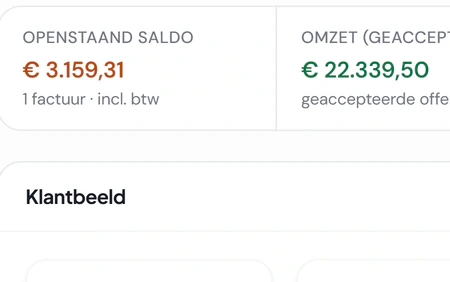
The customer card Quotes, work orders, installations and invoices of one customer, each on its own tab. Outstanding amounts at the top.
Outstanding balance, revenue, open quotes and running work orders Timeline with notes, attachments and @colleagues Owner and team per customer How long invoices have been open, per customer Contact preferences: who wants a call and who an email Switch a customer from business to private, invoices and contracts included Book an introduction
customers and relations/
Your customer base Search by name, email, phone or postcode, even without accents or with a small typo. Filter by industry or owner. Suppliers live in the same system.
Look up company details in the Chamber of Commerce register Home profile from open sources for private customers Merge duplicate customers, in bulk too Bulk actions: status, owner, portal invitation, sending invoices Tags, favourites and saved views Overview of incomplete or duplicate data Custom fields and custom objects with their own list Book an introduction
customers and relations/
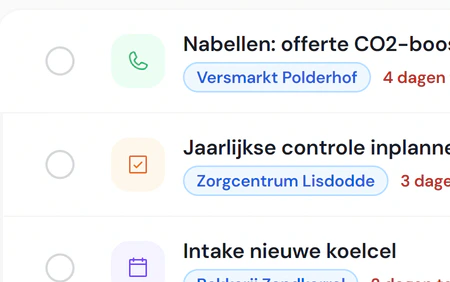
Tasks and working together Tasks, call-backs and appointments, with what is overdue at the top. For yourself or your whole team.
Tasks as a list, kanban or in the calendar, recurring too Team chat with channels and direct messages A shared email inbox, linked to the customer Search everything and create things fast from the keyboard In-app notifications about what concerns you Book an introduction
planning and calendar/
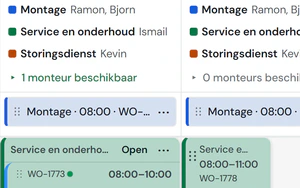
The planning board Your lanes stacked, with the crew per day and who is still free. You drag a job from your backlog onto a day.
Day, week and lane week, per lane or per employee Backlog with what is overdue or ready to plan Crew per lane for the week or per day, with history and undo Jobs of days or weeks, with the crew per day Capacity and occupancy per day and per week Smart planning suggests the shortest detour, you confirm Travel time between jobs and the day’s route on the map Warning for an expired or missing certificate Follow-up visits, in another lane too, and absence on the board Book an introduction More about the planning board
planning and calendar/
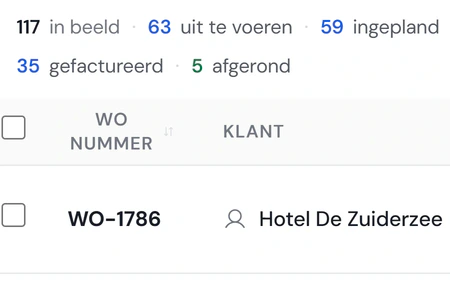
Work orders What still has to be done, what is planned and what is invoiced, in one list. Filter by engineer, type of work or purchasing.
From a quote, a ticket or a contract One or more engineers on a work order Your own types, subtypes and templates Planned materials and extra work, with the purchase list next to it Drawings and files the engineer sees beforehand Material costing, for those allowed to see cost Work order as a PDF to the customer, or signed through a link Appointment reminder for the customer Overview of finished work still to be invoiced Book an introduction More about the planning board
planning and calendar/
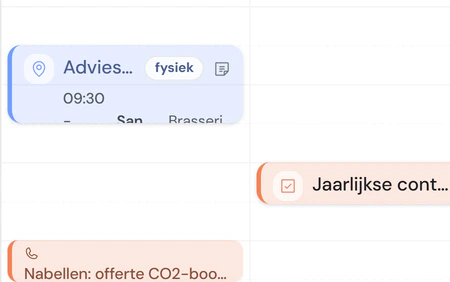
Calendar and appointments Your own calendar and the team’s, with appointments, tasks and work orders together. In Outlook or on your phone too.
Personal calendar and team calendar, by day, week or month Appointment types with their own duration and colour Calendar subscription for Outlook, Google or your phone Sync with Google Calendar and Microsoft 365 Time proposals: the customer picks a time through a link Plan maintenance in rounds per area, with capacity and public holidays Book an introduction More about the planning board
work order and engineer app/
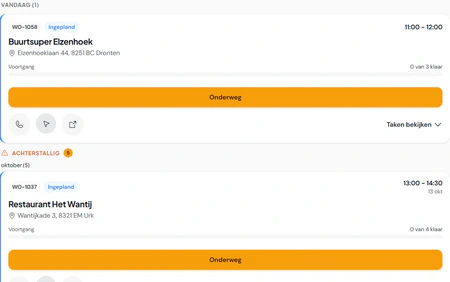
Their day Today’s jobs in order of time. Calling, navigating and On my way are right on the card.
Day overview with the next stop and navigation to the address Move the status on: on the way, started, done Tell the customer they are running late, with a ready-made text Record customer not at home, with a follow-up choice Create and handle tickets from the phone Installable on the home screen of the phone Book an introduction More about the work order app
work order and engineer app/
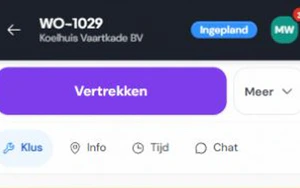
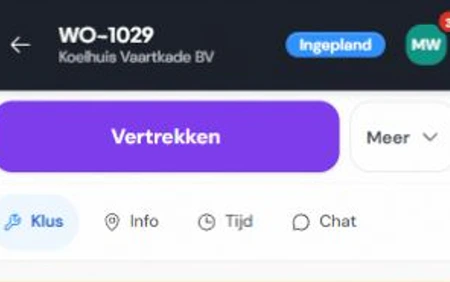
The work order Tasks, materials and photos on the phone, even without signal. The customer signs and the engineer finishes the job, even in a basement.
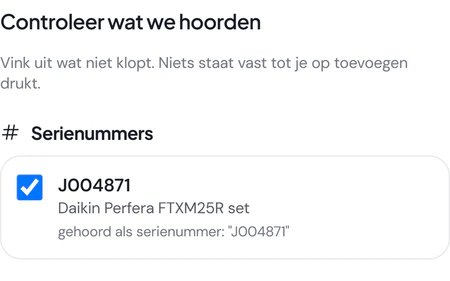
In steps: preparation, work, completion and signature Tick off tasks and add photos Tick off materials and add items from the catalogue Record the unit: brand, model, serial number Time per job Photograph receipts, which arrive as purchase invoices Works without signal, signing and finishing too; everything goes through once there is a connection Book an introduction More about the work order app
service and maintenance/
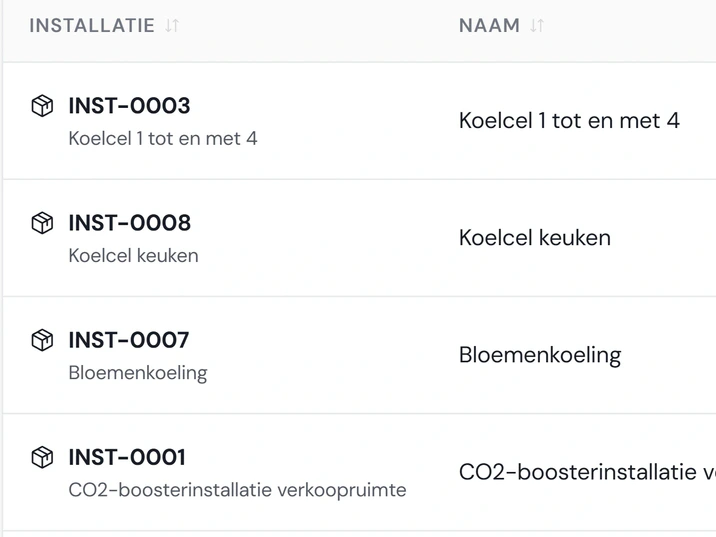
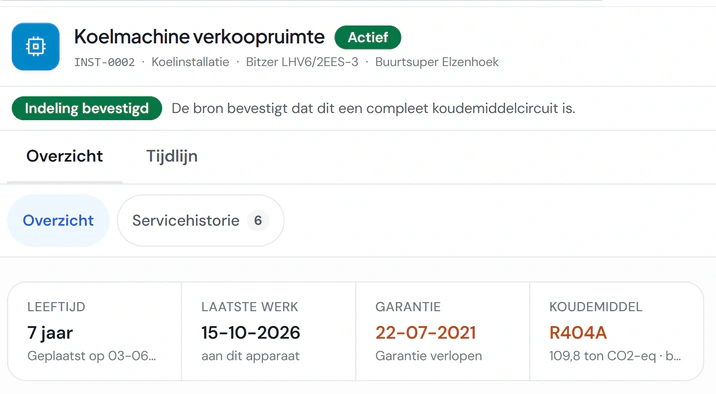
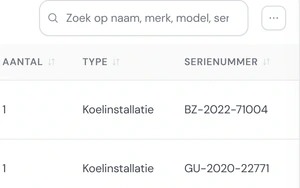
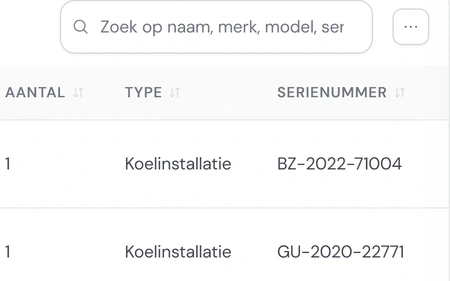
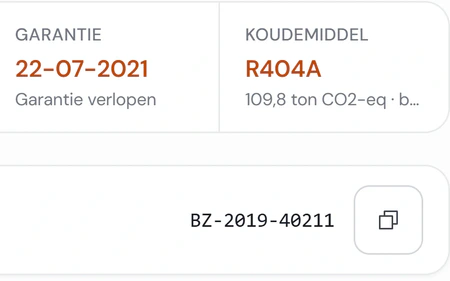
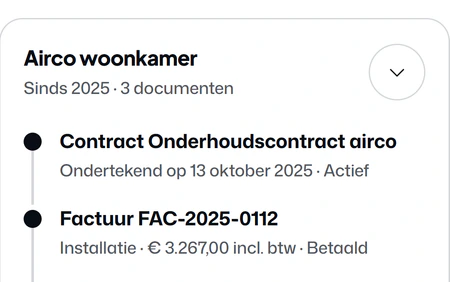
Installations Every installed unit per customer and location, with serial number, refrigerant and charge. Search by brand, model or serial number.
Several units per installation, with maintenance history and faults Maintenance duration derived from earlier visits Copy an installation and link it to a contract Rating plate and QR code per installation Book an introduction More about maintenance and contracts
service and maintenance/
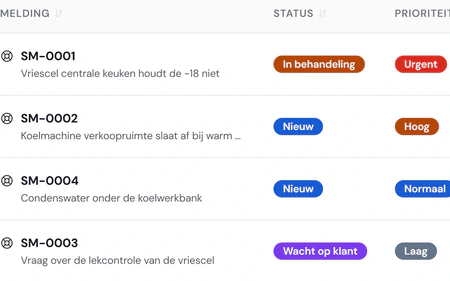
Service tickets Every ticket with priority, deadline and coverage, linked to customer and unit. One button turns it into a work order.
In by email or through an integration Service level with deadline and escalation The conversation with the customer by email, on the ticket Close in steps Decide whether your contracts also cover faults Analysis of your tickets Book an introduction More about maintenance and contracts
service and maintenance/
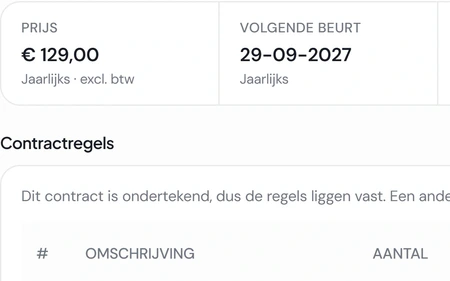
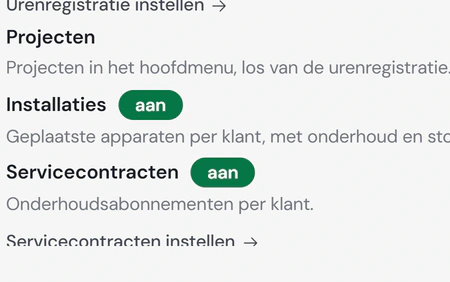
Service contracts Maintenance contracts with lines, installations, price and term. The customer signs online and after every visit the invoice is ready.
Contract lines, linked installations, price and term Send for signature, sign online and remind Contract as a PDF with your terms Prepare the contract invoice, also after the visit, then with a line per contract line Direct debit through Mollie: the customer gives the mandate with the first online payment, after that you collect every contract invoice with one button Transfer a contract to another customer Keep track of expiry and renewal Your customer requests a contract in the portal Book an introduction More about maintenance and contracts
f-gases/
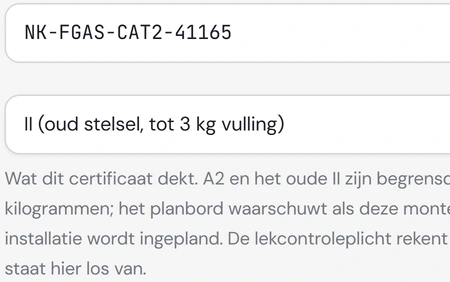
Refrigerant and leak checks per unit Fikst works out the CO2 equivalent and sets the leak check obligation. The next check is there by itself.
Leak check per installation, with cycle, leakage and follow-up Check planning: what is coming and what is overdue Phase-out per customer: which refrigerant, and when topping up stops Access link for the customer or the inspector, with the certificates Book an introduction More about F-gases in Fikst
f-gases/
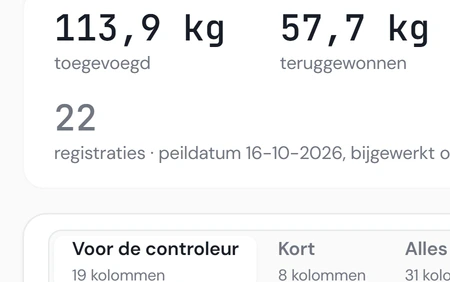
Register, cylinders and certificates Every refrigerant booking is in the register, linked to cylinder and work order. Certificates take one click.
Refrigerant register with filters, reference date and export Add and weigh cylinders, with movements and a timeline per cylinder Book the cylinder on the work order, also when things went differently Certificates as a PDF with the engineer’s signature and the CO2 equivalent Annual balance per refrigerant with weighing Reports with export to Excel or CSV Company and engineer certificates with validity Engineer without a valid certificate: warn or refuse the record Measuring instruments with inspection and calibration Audit file for your BRL 100 audit: certificates, the check in the Central Register and instrument inspections on a reference date in one Excel file, with what expires within 60 days Fikst switches F-gases on for you.
Book an introduction More about F-gases in Fikst
invoicing and payment/
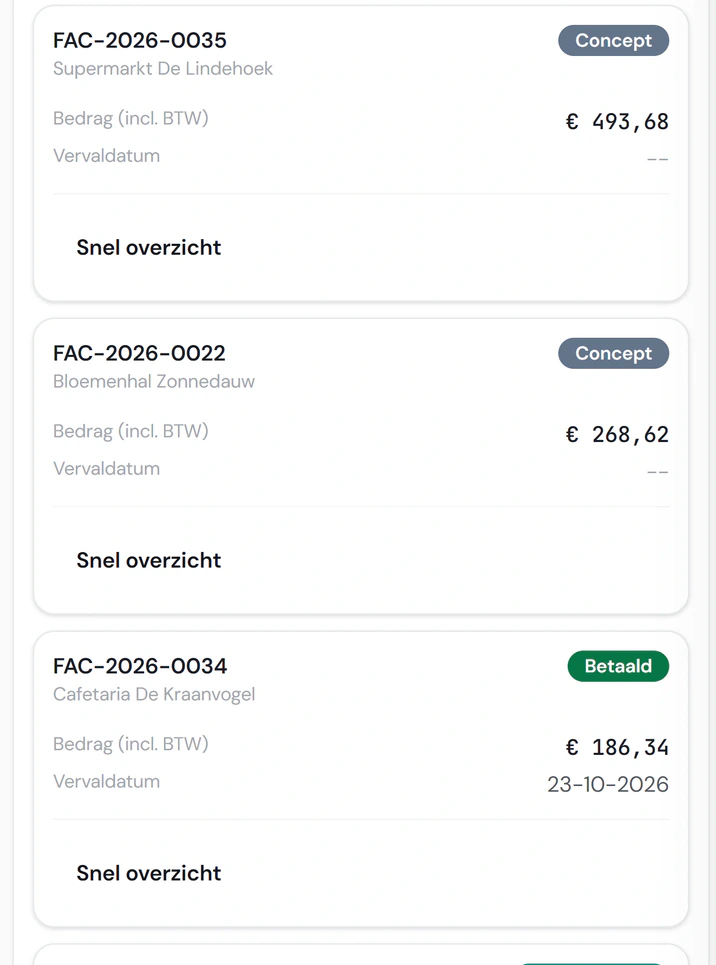
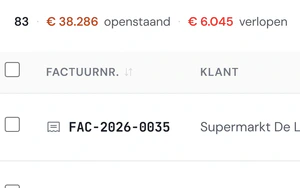
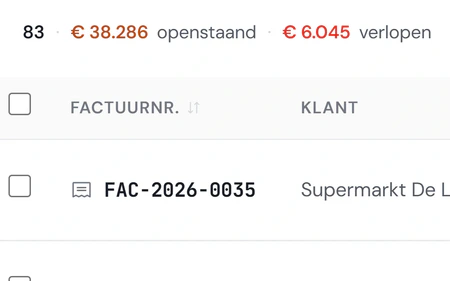
Invoices Outstanding and overdue at the top. Instalment invoices and part payments sit in the same list.
From a work order, quote or contract Instalments with deposit and final invoice, also with an existing invoice as an instalment Credit note, partial too, and splitting an invoice Delete a draft, and reopen a cancelled invoice that was never sent Recurring invoices Reverse charge VAT and several VAT rates on one invoice Send, in bulk too, with PDF and online invoice link E-invoice (UBL) as an attachment Book an introduction
invoicing and payment/
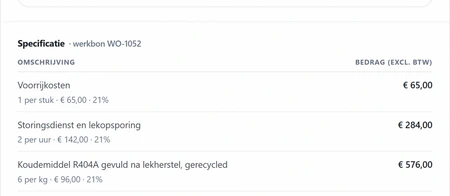
The invoice at your customer The invoice follows from the work order, including the refrigerant that went in. Your customer sees it online, with payment details.
Online invoice page, payment with iDEAL through Mollie Share a payment link Payment reminders on your own schedule and template Open items and how long they have been open Keep track of deposits, with a reminder to the customer Book an introduction
invoicing and payment/
To your bookkeeping Fikst is not an accounting package. Invoices and payments go on to your accountant’s package, and they look along free of charge.
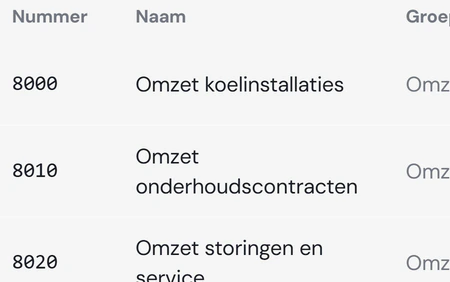
Send invoices and payments on to your accounting package General ledger account per invoice line Journal entries for corrections Your accountant gets a free login of their own that only reads the financial screens; they do not count as an office user Audit bundle for the accountant or the tax office Book an introduction
purchasing and stock/
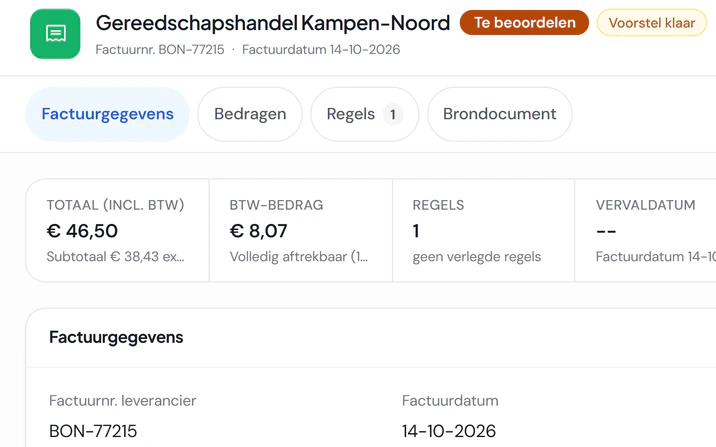
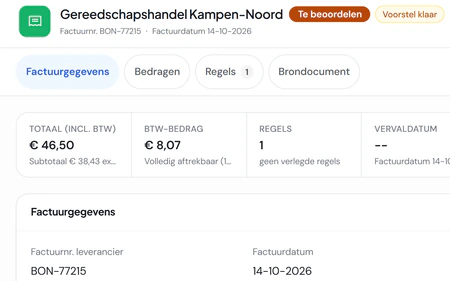
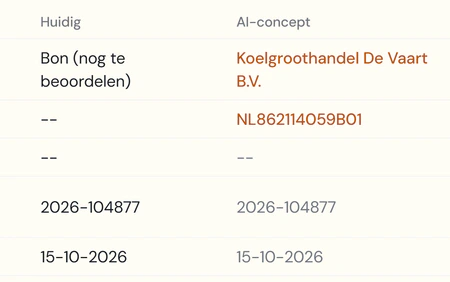
Purchasing Purchase invoices come in by email or as a photo of a receipt. Fikst reads them, you check.
Purchase invoices by email, as e-invoices too Photograph a receipt and have it read, supplier recognised Approve in bulk, and a duplicate receipt is spotted Create a payment batch as a SEPA file for your bank Purchase list that adds up the materials of your work orders Send purchase orders and book in the delivery Signal when a delivery is late for planned work Reading by Fikst runs on AI credit. If your own AI reads the receipt, it costs no credit.
Book an introduction
purchasing and stock/
Items and stock Your item catalogue with prices and barcodes. You switch stock on per item, per warehouse.
Items with brands, units, sales and cost prices and barcodes Stock per warehouse, with movements and transfers Minimum stock and order advice per warehouse Count stock, also with your voice Reserve material per project A guided start: warehouse and opening stock Book an introduction
bank and VAT/
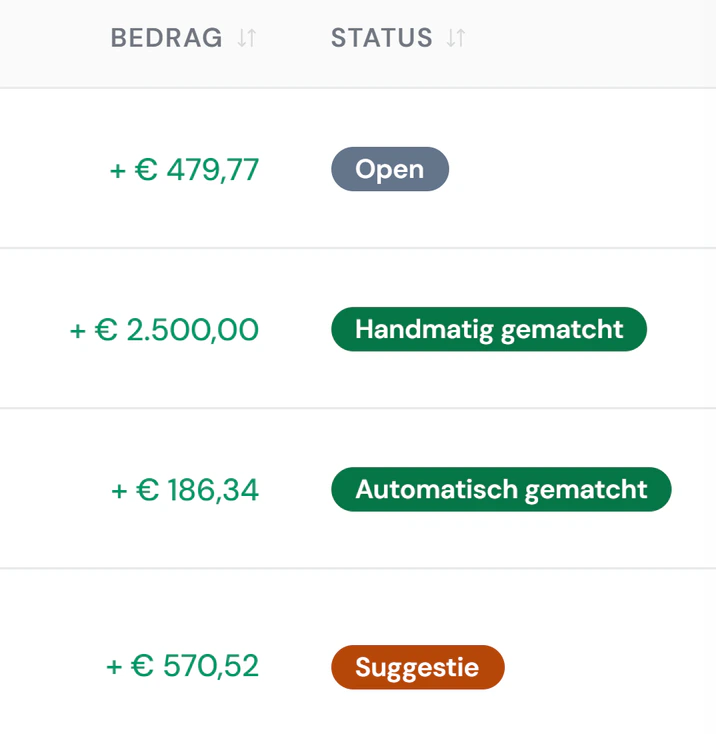
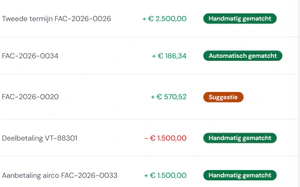
Bank Your bank account linked, or a bank file imported. Fikst suggests which invoice a payment belongs to.
Link your bank account, or import a bank file (CAMT.053, MT940) Match to invoices and purchases automatically and by hand Split a payment over several invoices Undo a match or ignore a transaction Book an introduction
bank and VAT/
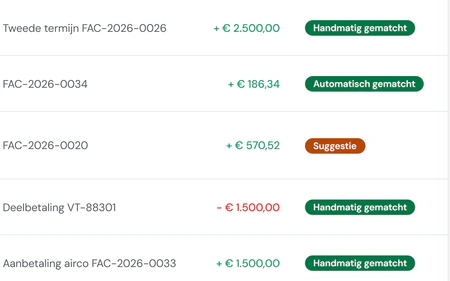
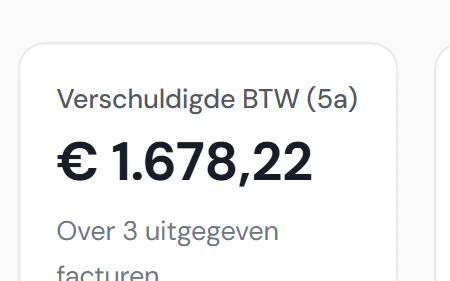
Preparing the VAT return The boxes of your return, with the invoices behind every amount. Fikst files nothing and gives no tax advice.
Boxes with the breakdown per invoice Close and reopen periods Questions from your accountant and your answers on the period Revenue, outstanding and cash on your start screen Book an introduction
customer portal/
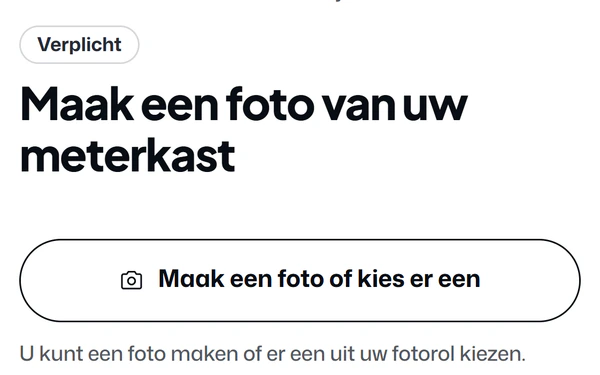
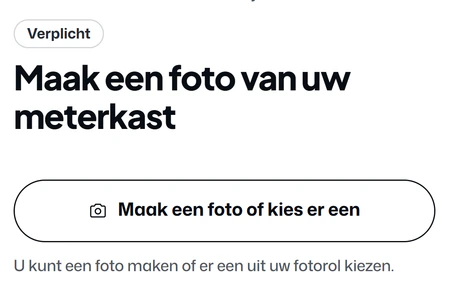
The questionnaire before the survey Your customer fills in the questionnaire at home, with photos from their camera. Once they send it, you get a task.
One question per screen, with photos Answer later, with reminders Set up your own questionnaires After the heat pump questionnaire a proposal for your salesperson, if you switch it on Book an introduction More about the customer portal
customer portal/
Planning maintenance themselves Your customer picks a time that fits your route. The visit lands on your planning board as a work order straight away.
Plan, change and reminders See appointments and add them to their own calendar Maintenance history per unit Book an introduction More about the customer portal
customer portal/
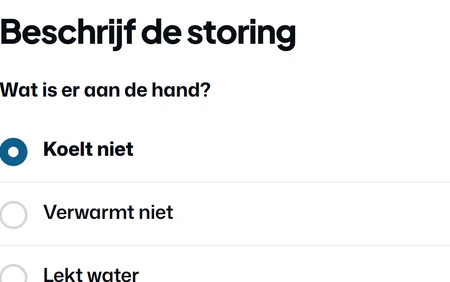
Reporting a fault What is wrong, the error code and photos. You receive a ticket, already linked to customer and unit.
Report a fault or question on the unit, with photos and a confirmation by email Request a maintenance contract from your packages Update their own details Book an introduction More about the customer portal
customer portal/
Quotes, invoices and contracts Per unit the quote, the contract and the invoices. That one invoice from last year, your customer now finds it themselves.
View quotes and approve View and pay invoices The customer’s installations and contracts The ISDE file for a heat pump, prepared after the paid invoice Book an introduction More about the customer portal
customer portal/
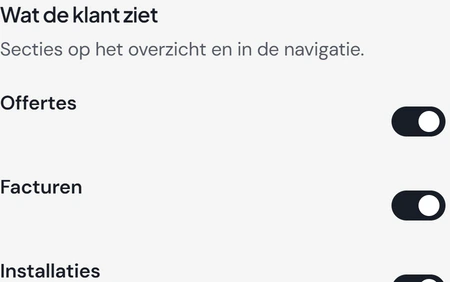
Managing the portal You decide what your customer sees and may do, in your house style. Everything customers send arrives in one place.
Sign in with a code by email, no password Invite customers, one by one or in bulk, and see the email that goes out first Your own frequently asked questions in the portal Portal requests: all customer requests in one place Set up house style, features, texts and emails yourself Preview before you publish Fikst switches the customer portal on for you. You choose per feature what your customer may do.
Book an introduction More about the customer portal
heat loss and advice/
The calculation Transmission, ventilation and heating-up allowance per room. What you do not know stays visible as a gap instead of a guess.
According to ISSO 51:2023, ISSO 53 and ISSO 57, based on NEN-EN 12831 Look up the address and prefill the building from open sources Rooms and building parts, with insulation values by year built Insulation overview and minimum advice per building part Consumption as a check next to the calculation Recalculate, and a notice when a result is out of date Book an introduction More about the heat loss calculation
heat loss and advice/
Advice and report Capacity, bivalent point and backup, with the unit to match. The report goes to your customer as a PDF, and the quote follows from it.
Heat pump advice with unit choice from manufacturer data Annual comparison of heat pumps in energy and cost Output of radiators and underfloor heating per room, with the minimum flow temperature Cooling load per room, with the simultaneous peak for the outdoor unit Outdoor unit noise at the property boundary, by day and at night Hot water: draw-off profile, cylinder and heat-up time Customer report as a PDF, with preview, by email or in the customer portal (you switch that on) Create a quote with the chosen unit File with timeline and linked quotes Fikst switches heat loss on for you.
Book an introduction More about the heat loss calculation
ai/
Talk instead of type Your engineer says what they did and Fikst turns it into lines. They tick what is right, and only then is it saved.
Dictate the work order Dictate a quote, with a checklist that ticks itself off, on your phone too Dictate the site survey Count stock with your voice Runs on AI credit, with a monthly cap you set yourself.
Book an introduction More about AI in Fikst
ai/
The Assistant Ask it to schedule a work order or change a status, and it does. For bigger or sensitive steps it asks for your click first.
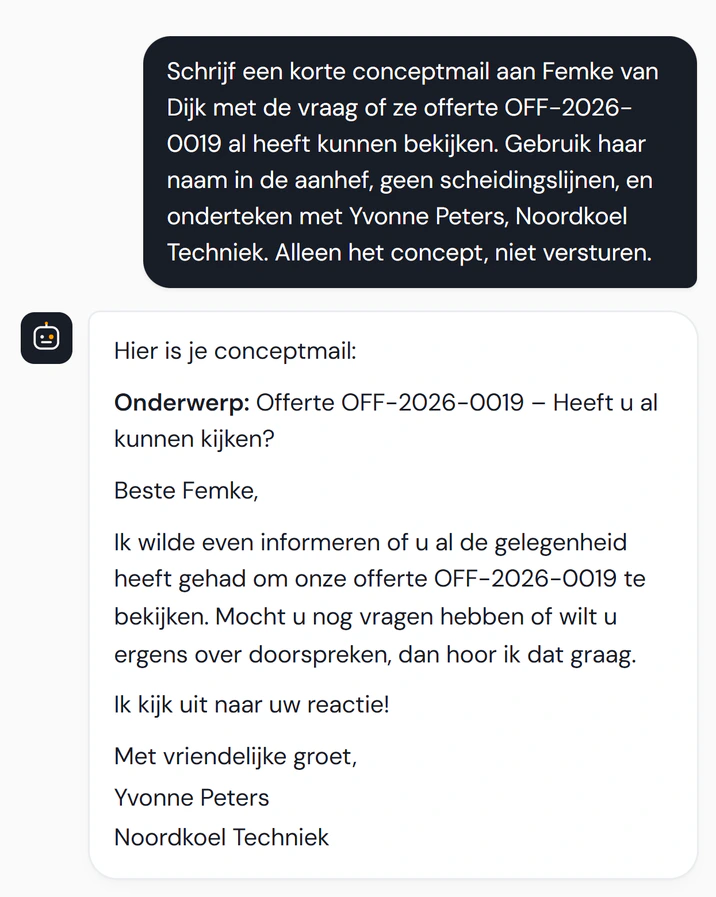
Across the product, on the phone too A daily briefing of what is going on Have a draft email written You approve or reject what it suggests Runs on AI credit, with a monthly cap you set yourself.
Book an introduction More about AI in Fikst
ai/
Let paper and photos be read Receipts, purchase invoices and photos become data. You check what Fikst makes of them.
Read receipts and purchase invoices, by Fikst or by your own AI Read photos from the questionnaire and the survey Assess a lead Fetch company details from a website Look up the refrigerant per unit model Runs on AI credit, with a monthly cap you set yourself.
Book an introduction More about AI in Fikst
ai/
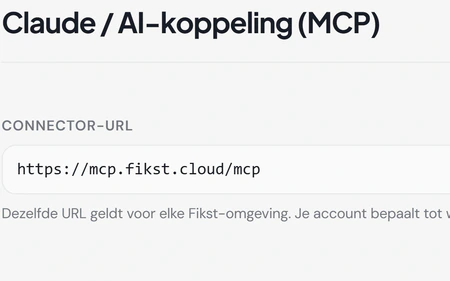
Connecting your own AI If you work with Claude or another AI, you connect it to Fikst. It works with your data, within the rights of your role.
A connection with hundreds of actions in Fikst Sign in with your own Fikst account Each AI feature on or off, with credit and usage in view A company profile so the AI knows your business Your setup through your AI, with a guide to what the connection can do First check what is running for the customer, and ask you when in doubt If something cannot be done yet, your AI tells us Book an introduction More about AI in Fikst
insight/
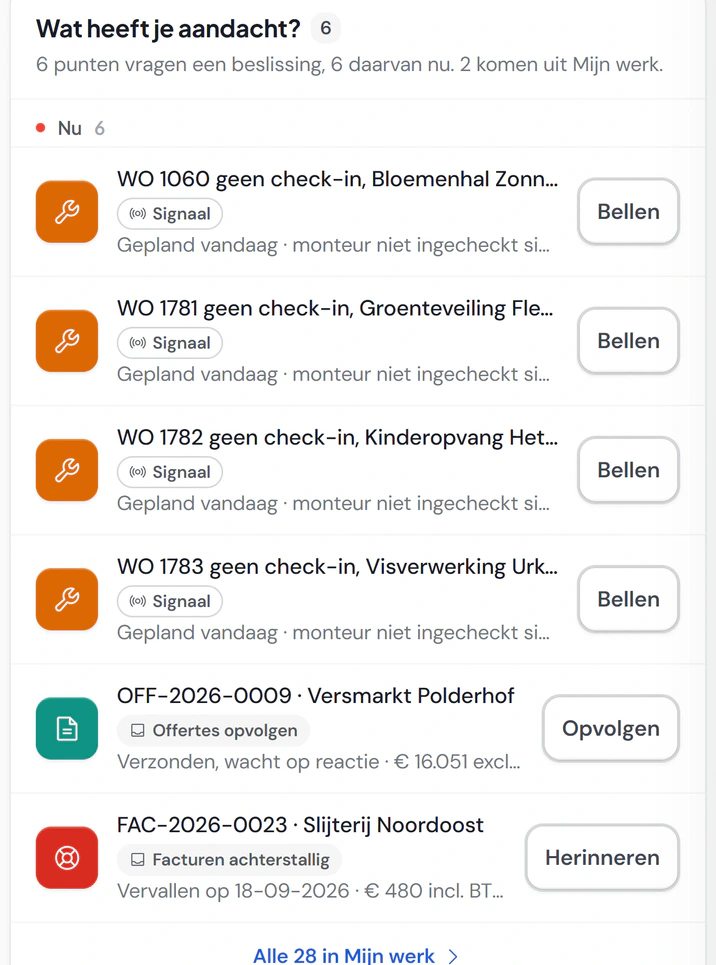
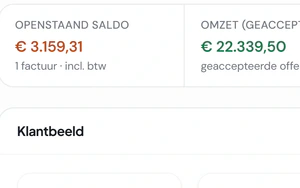
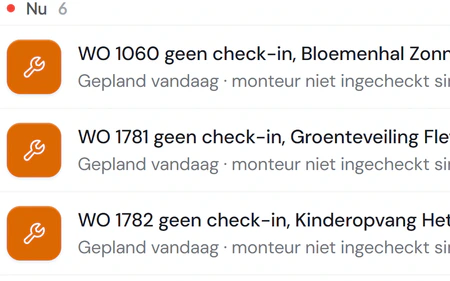
The start page Which engineer has not checked in yet, with a button to call. Next to it your revenue, what is outstanding and your pipeline.
What needs attention, with the button to fix it Key figures: revenue, outstanding, pipeline, contracts Cash for the next thirty days Goals for revenue and numbers Book an introduction
insight/
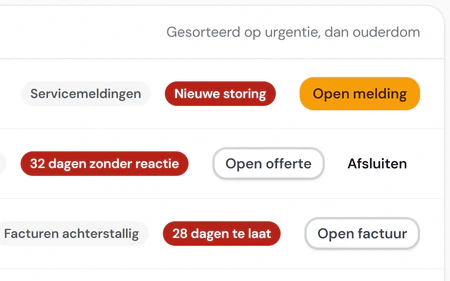
My work Everything with your name on it, sorted by urgency, with the button to deal with it next to it.
Buckets per type of work, set up yourself For yourself, for nobody or for everyone Book an introduction
insight/
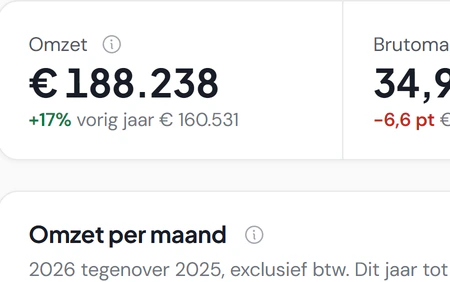
Analysis and reports Financial, customers, leads, quotes, projects and service on tabs, compared with last year. Every figure with its explanation.
Revenue, margin per cost type and age of what is outstanding Leads, win rate and your quote funnel Revenue forecast Reports with export: budget, employees, projects, job time Log: who changed what, with export Book an introduction
projects and team/
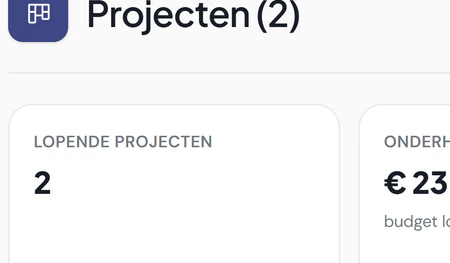
Projects Stages, tasks, members, material and budget per project. With templates you do not start from scratch every time.
Project stages and tasks, with members Material and budget per project Project templates and your own stages Portfolio of all your projects Book an introduction
projects and team/
Team Employees with their role, signature, skills and certificates. The planning takes it into account.
Teams and skills on work orders and the planning board Work patterns and availability per employee Hourly rates per employee or level Engineer timesheets: confirmed by them or from the work order Book an introduction
automation and communication/
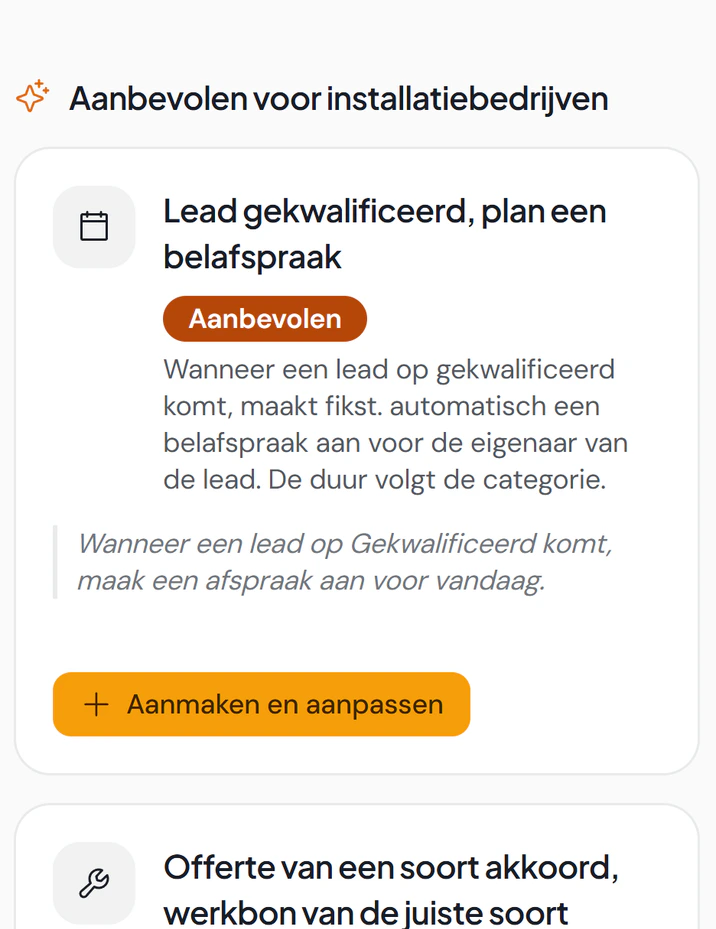
Automations When this happens, do that. On leads, quotes, work orders, invoices, contracts and tickets.
On creation, a changed field, a threshold, a schedule or inactivity Notification, field update, work order, draft invoice, customer email or task Ready-made recipes to start from Test runs and a log per automation Quiet hours and approval for actions involving money Book an introduction
automation and communication/
Email and notifications Email from every customer, quote or invoice, under your company name or from your own domain. You see whether it was opened, and straight away when it did not arrive.
Templates with merge fields and a preview See whether an email was opened and a link clicked If an email does not arrive, you see it in Messages, on the timeline and on the customer or lead, with the reason and a button to correct the address The office gets a notification, and for an undeliverable address the follow-up pauses Your own sender domain and channels for incoming mail Signature per organisation and per employee Choose per event who gets which notification Book an introduction
automation and communication/
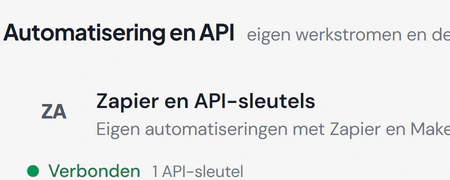
Integrations: ready-made or built for you Ready-made integrations with your bank, bookkeeping, telephony and calendar. Using something else? Then we build the integration for you, as long as that system has an API.
Integrations with your bank, bookkeeping and telephony are included in your subscription We build a custom integration for you; you hear the cost upfront A REST API with keys and rights per key Signed webhooks Zapier and Make Connect your own AI, with hundreds of tools Book an introduction
settings and rights/
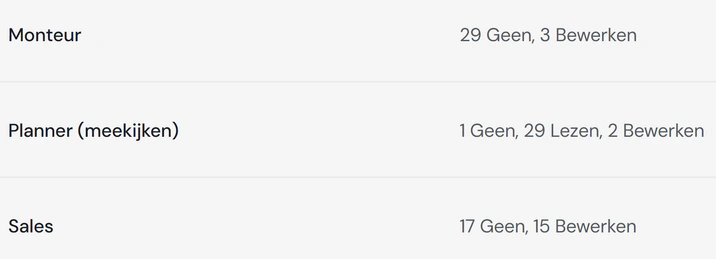
Roles and rights Four levels per area: nothing, read, edit or everything. Cost prices and margin only show when your role allows it.
Your own roles, with templates to start from Rights per employee that add to or limit the role An explanation why something is not allowed, instead of an empty page Sign in with email and password or with Microsoft Book an introduction
settings and rights/
Setup Your own fields, stages and words, and the house style of your website in your documents. Modules you do not use you switch off.
Stages and statuses per area Custom fields and custom objects Validation rules that can refuse a save Screen layout: fields, columns and tabs Your own words for menu and screens Take over the house style from your website Modules on or off, your data stays Integrations with Microsoft 365, Google Calendar and Mollie Dark mode Book an introduction
Drag or scroll to move around
Actual size Close
This was the overview. The rest you see with your own work. In a 30 minute introduction we look at how you work and show you Fikst live. With five people in the office you pay € 250 per month, and your engineers cost nothing.
All screens come from Noordkoel, the demo company in Fikst. The companies and people in it do not exist.